Best Posture for Sitting at a Desk: A Complete Guide
Best posture for sitting at desk starts with the 90-90-90 setup, plus chair and screen adjustments and movement breaks to ease daily strain.

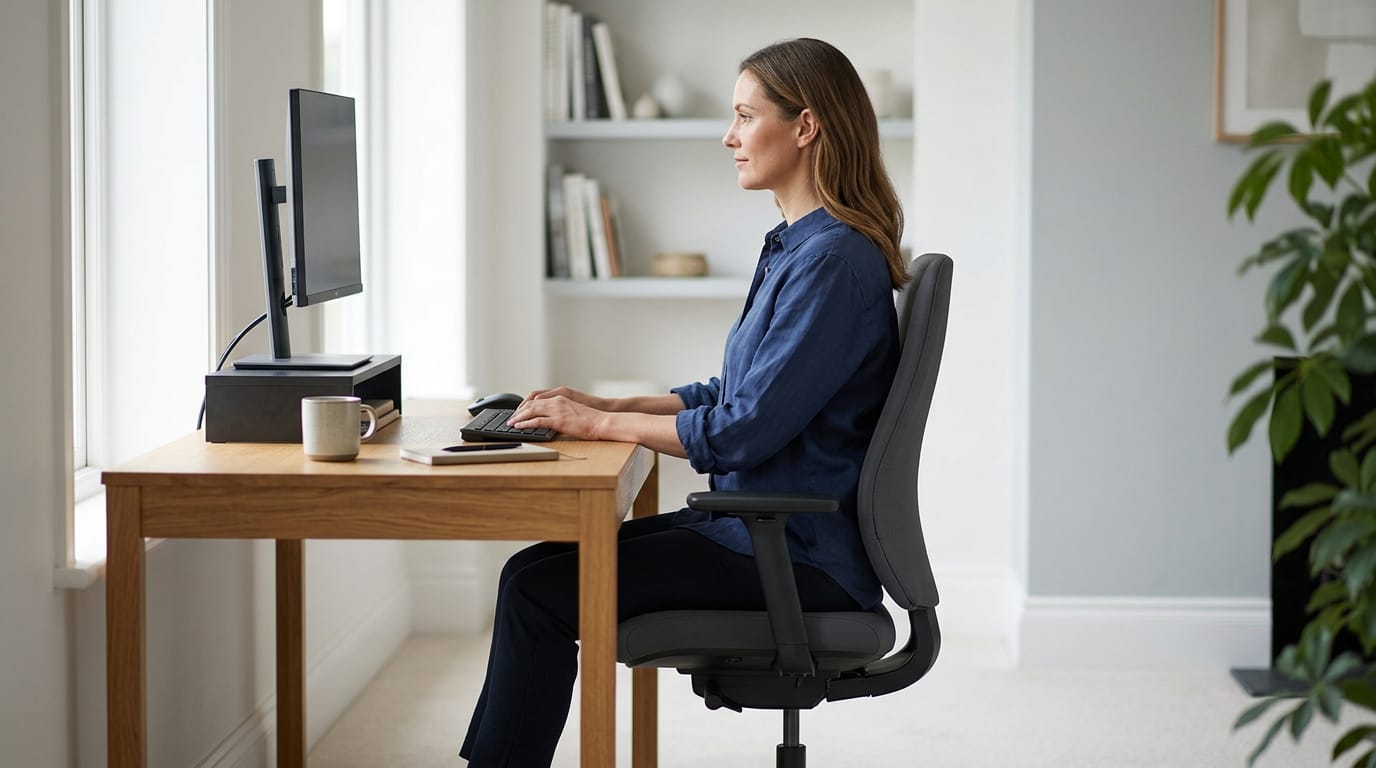
The best posture for sitting at a desk is a comfortable, supported position with feet flat, hips and knees near right angles, lower back supported, shoulders relaxed, and the screen at eye level about an arm’s length away. Keep elbows close to your sides and wrists straight, but don’t hold one pose rigidly: shift, stretch, and stand or walk every 30 to 60 minutes. A well-adjusted setup and regular movement can reduce strain during long desk sessions, without requiring expensive equipment.
Picture the last long gaming session you had. Around hour two, you slid down in your chair, your head drifted toward the screen, and your mouse hand started to ache. That slump is easier to fix than you think.
The best desk posture starts with the 90-90-90 baseline: hips, knees, and elbows at roughly right angles, feet flat on the floor, and your monitor’s top edge at or just below eye level.
This guide walks through your chair, desk, and screen, then covers movement, controller and mouse wrist positions, and fixes that won’t wreck your budget.
Best Posture for Sitting at a Desk
Good desk posture isn’t one rigid pose you hold for hours. It’s a setup that keeps you comfortable through a long session, so we’ll build it from the bottom up.
Position your feet, knees and hips
The 90-90-90 rule is the simplest starting point: your hips, knees, and ankles each form roughly a 90-degree angle. That means your feet sit flat, your knees bend close to 90 degrees, and your thighs run parallel to the floor.
Your knees should sit level with or slightly below your hips.
Think of a player whose feet dangle off a seat set too high. A footrest or a sturdy cushion lets them plant both feet, and the whole setup suddenly feels steadier through a three-hour session.
Support your lower back’s natural curve
Your spine has a gentle inward curve at the lower back, and your goal is to maintain that curve, not fight it. A lumbar pillow (a small cushion for the small of your back), or a rolled towel, can help.
Lean back so the chair fully supports your back instead of perching on the front edge.
Avoid slouching, which rounds your lower back, and arching, which overdoes the curve.
Relax your shoulders, arms and head
Let your shoulders drop instead of creeping up toward your ears. Bend your elbows to about 90 degrees with your forearms resting on the desk or armrests. Keep your head aligned over your shoulders, with your chin slightly tucked.
Picture a gamer hunched toward the screen in a close match. Dropping the shoulders and tucking the chin for a few seconds between rounds resets the upper body, and the neck stays loose by the end of the night.
Why no single posture is perfect
There’s no single perfect posture to lock in and forget. The better goal is dynamic posture over rigidity: shift, stretch, and stand up regularly, even from a great position.
Awareness is free. Glance down every so often at your feet, your back, and your shoulders. That quick check costs nothing, and it keeps the other habits working when you’re deep in a match.
How Poor Posture Affects Your Health
Slouching feels harmless until it isn’t, so here’s what hours at the desk can cost you.
Muscle and joint pain, tight hips, headaches
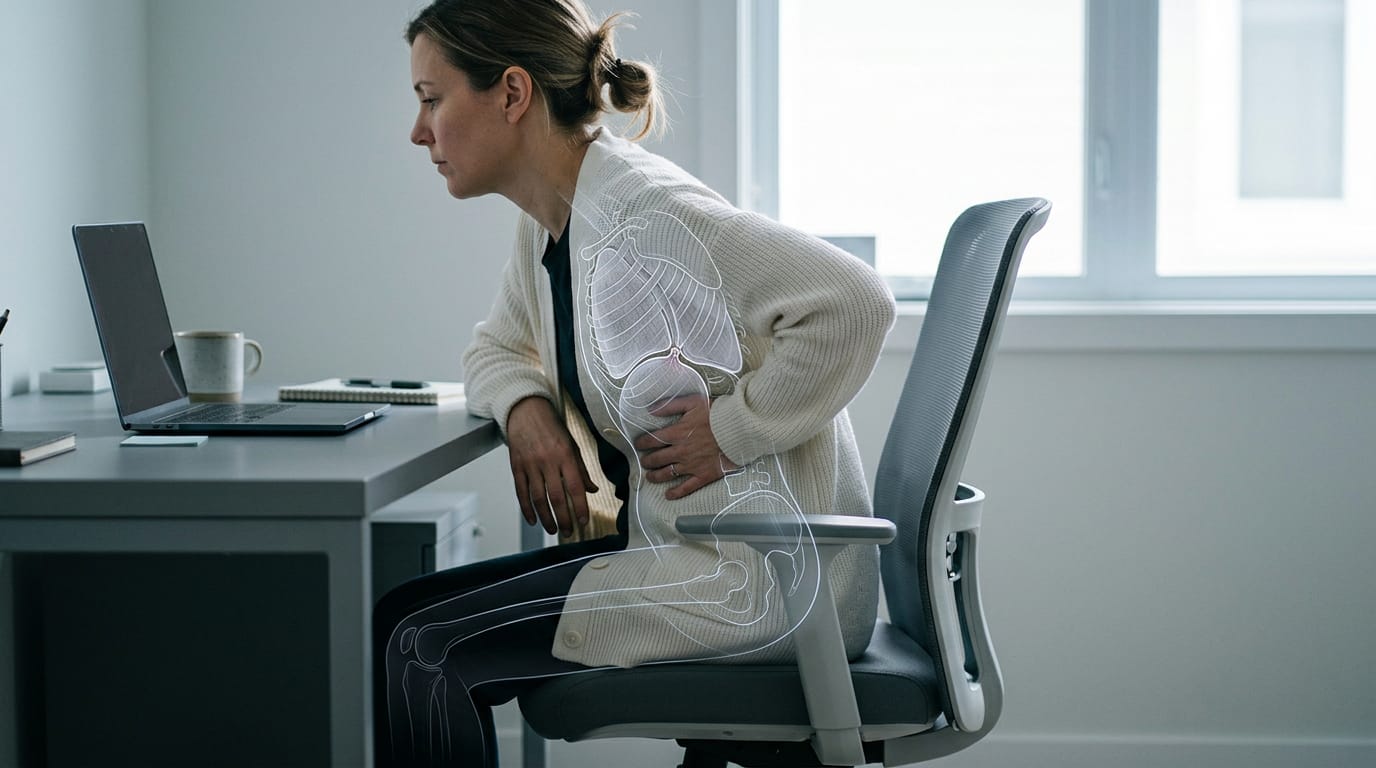
Slumping loads your back and neck, so back and neck pain often follows. Shoulders tense and hips tighten after hours of sitting.
For example, a builder who games after a full workday might wake up with a stiff neck and a tension headache. Your body pays for that slump.
Impact on organs, breathing and digestion
A slumped torso leaves less room for your lungs, so breathing can feel restricted.
A study in Quality in Sport links prolonged sitting to higher abdominal pressure and a compromised valve at the top of the stomach, which can contribute to indigestion and acid reflux.
Harvard Health notes that poor posture promotes stress incontinence, where you leak a little urine when you laugh or cough. Poor sitting habits can also contribute to chronic constipation, according to a study in Quality in Sport.
Circulation suffers too, particularly in the legs. A study on prolonged sitting found foot artery blood flow dropped significantly after eight hours of constant sitting.
Why bad posture drains your energy
It’s less about one bad day and more about hours of slumping. A study of an industrial workforce found more painful body sites tracked with higher fatigue and lower productivity. That plays out in three ways:
- Fatigue. Holding a slump takes effort that builds through the day.
- Reduced focus. Discomfort pulls your attention away from the screen.
- Lower efficiency. Less gets done per hour, whether you’re working or grinding ranked.
Think of a player grinding late-night ranked matches in a slouch. By the third one, their aim slips. A quick chair and monitor adjustment can change that.
Setting up and Adjusting Your Chair
Your chair is the foundation for everything else, so dial it in before you touch the monitor. Work through height, backrest, and armrests in that order.
Should you sit higher or lower?
Neither wins on its own. It’s less about higher or lower and more about where your hips and knees land. Your seat height is right when your hips and thighs rest fully on the seat and its top sits just below your kneecaps.
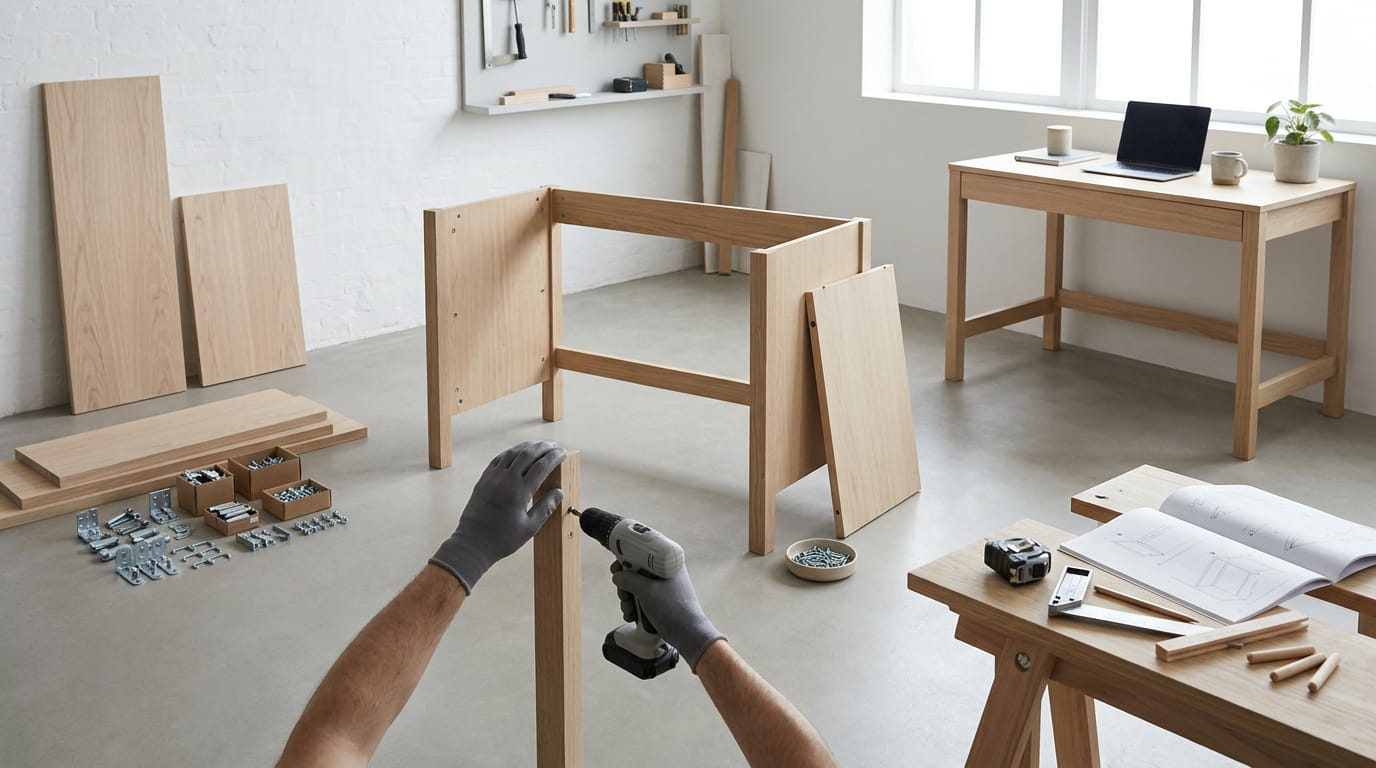
Start within the typical seat height range, then fine-tune from there, and look for height adjustment so the seat matches your desk, not the other way around. If your current desk is the fixed part of this setup, building a desk yourself is another route.
Take a player who grinds ranked matches on a seat set too low, with their knees poking above their hips. Raising it to that same spot keeps the second hour as comfortable as the first.
Let the backrest support your lower back
Your lumbar support should fit the natural curve of your lower back, so your spine isn’t doing all the work. Then recline slightly.
A study on prolonged sitting and limb circulation used chairs with a 110° back angle, a handy benchmark for a recline somewhere in the 100–110° range.
Aim for a slight recline, not a locked upright. Pick a backrest that moves with you as you lean. Avoid a fully upright lock for long sessions, because you’ll stay stiff and a slouch can creep in unnoticed.
Set armrests so shoulders stay relaxed
Set your armrests so your elbows sit close to your sides and your shoulders stay relaxed. If the arms bump the desk or hike your shoulders up, lower them or remove them. The armrest should support you, not something you fight every session.
What to look for in a chair
When you’re shopping, prioritize these features:
- Cushioned seat that stays comfortable for hours, not just the first five minutes.
- Breathable mesh fabric on the back, so a long session doesn’t turn into a sweaty one.
- Swivel function so you can reach a second monitor or shelf without twisting your whole body.
Students don’t need anything fancier: a study chair with working height, backrest, and armrest adjustments covers the basics.
Gaming and office chairs follow the same setup order, so the name on the box matters less than how you dial it in. Adjust once, then play.
Arrange Your Desk and Screen
Your screen, keyboard, and mouse each have a right height and distance. Here’s how to set them.
Put your screen at eye level
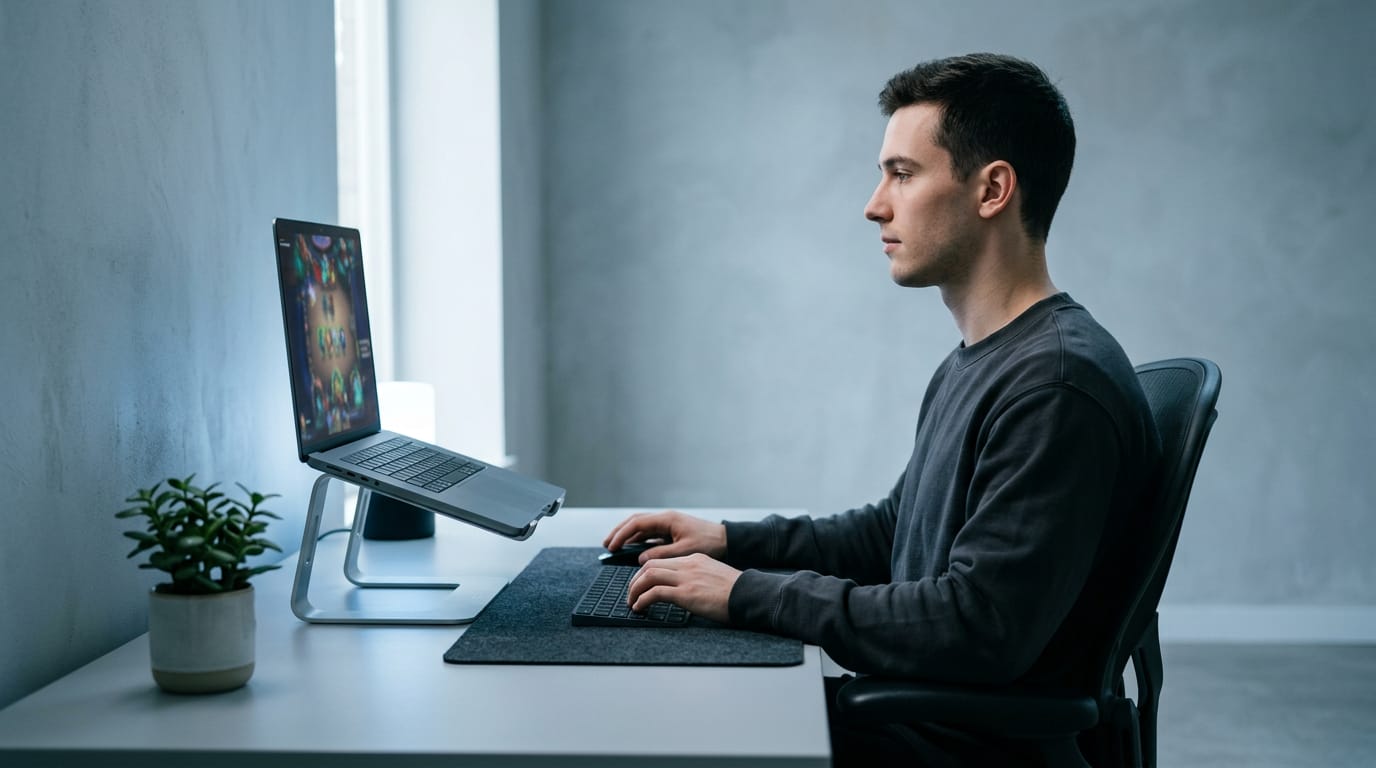
Your screen belongs at eye level, not below it. Keep it about an arm’s length away. On a laptop, a stand or external monitor gets it there.
Watch for tech neck, the forward-craned posture from staring down at a screen. Picture a player grinding ranked matches with a laptop propped on a pillow.
Raise it onto a stand, and their head stops craning down through the whole session. Small change, big payoff.
Set keyboard, mouse and desk heights
Your goal is to fit the desk to you, not the other way around.
- Elbows rest by your sides. Let your upper arms hang naturally.
- Wrists stay straight and relaxed. Don’t bend them up, down, or sideways.
- Desk height matches your elbows. Your forearms should sit level or close to it.
- Mouse and controller wrist posture. Keep a relaxed grip on the mouse, and rest your hands on a controller without squeezing.
If the desk is too high, lower your chair and use a footrest. If it’s too low, raise your chair or put the keyboard on a raised tray. When the desk’s own dimensions are the real issue, check the standard desk size first.
Ease eye strain while you work
Eye strain matters too. According to a Review of Myopia Management article, the 20-20-20 rule is an eye-strain practice that recommends regular breaks from screen viewing.
It can help mitigate digital strain, but the piece notes it doesn’t address the multifaceted nature of visual fatigue, so treat it as one tool, not a cure-all.
Match your brightness and contrast to the room. A screen much brighter than its surroundings makes your eyes work harder.
Move and Take Breaks Through the Day
Your chair only goes so far. Posture holds up best when you keep changing it, so here’s how to build movement into your day.
Take breaks every 30 to 60 minutes
University of Utah Health advises taking breaks from sitting every 30 to 60 minutes and changing position often. The goal is movement rather than perfection.
- Every 30 to 60 minutes: set a timer or pause between rounds.
- Stand, stretch, walk: pick whichever fits the moment.
- Shift position often: small changes count.
- Breaks between matches or queues: the queue timer is a free reminder.
Think of a ranked player who grinds through four matches without getting up. By the last one, their back is stiff. Standing during the queue resets them before the next match.
Switch between sitting and standing
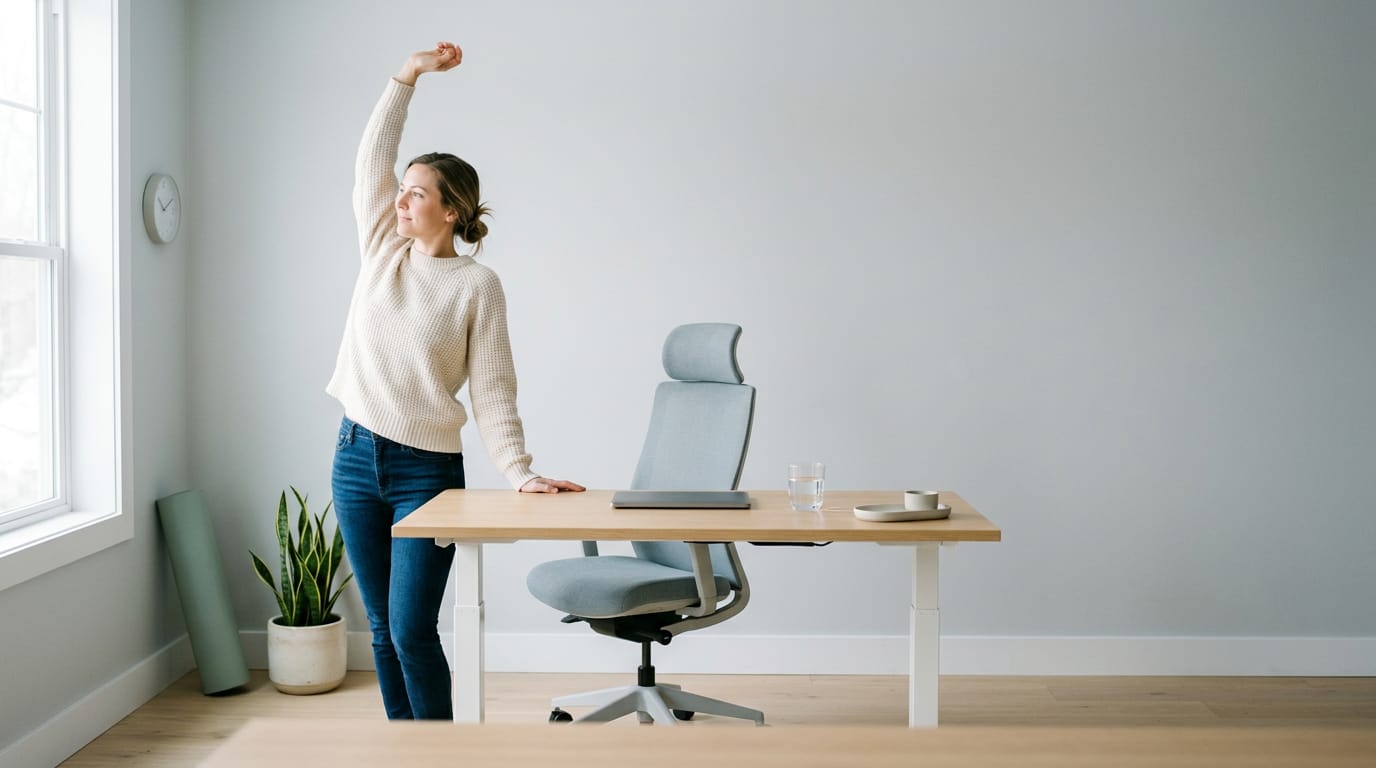
If your desk allows it, alternate sitting and standing. A standing desk raises to standing height, and that’s what makes switching easy.
- Alternate sitting and standing: stand for a stretch, then sit back down.
- Desk stretches: wrist circles and a slow chest opener work well.
- Walk during calls: voice chat with your squad is a good excuse to pace.
- Quick reset exercise: roll your shoulders, then take one slow breath.
Short and regular wins.
Strengthen and stretch outside work hours
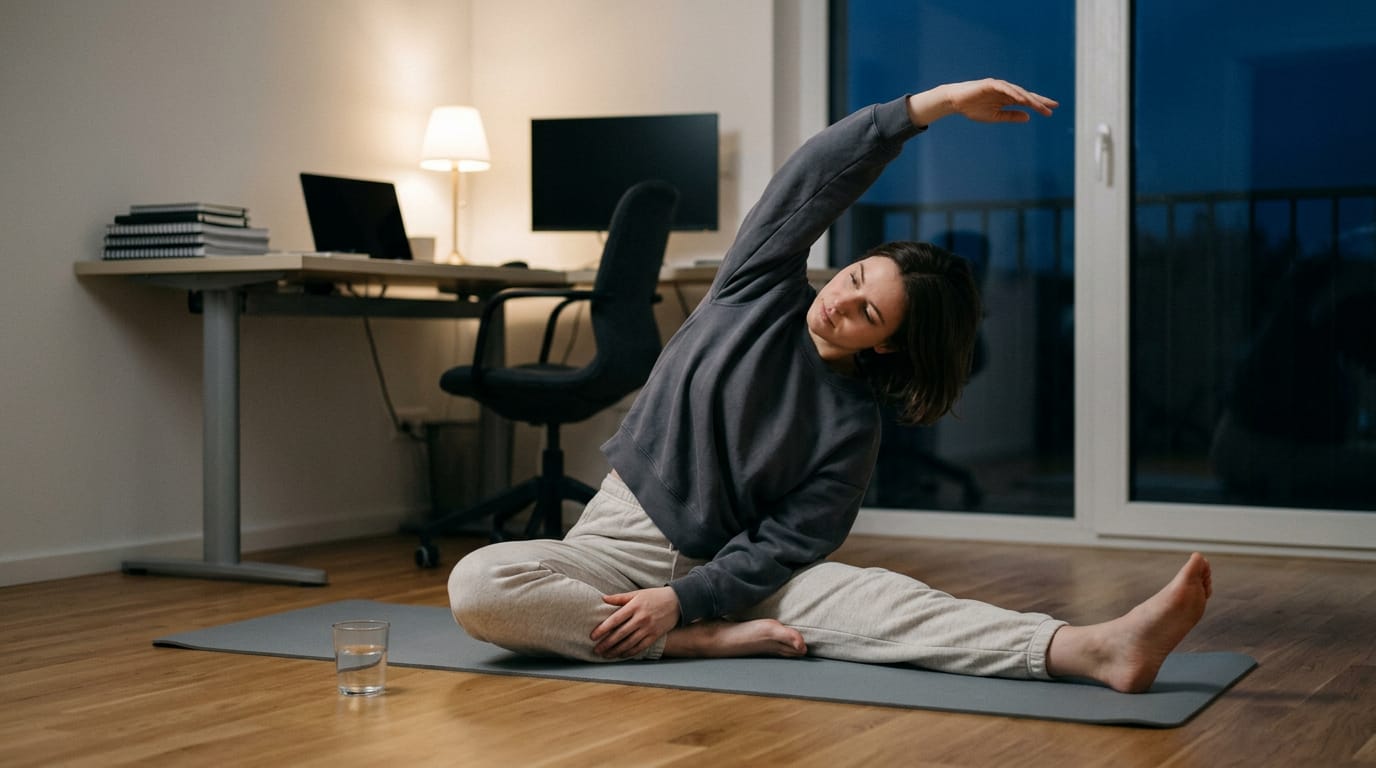
Desk habits only do so much alone. Core strengthening builds the muscles that hold you upright, so good posture takes less effort late in a session. Yoga and stretching loosen tight shoulders and hips, and a short routine works well before bed.
Mobility work keeps your joints moving through their full range.
Consider a player who sits for six hours, then spends ten minutes on a floor routine before bed. Their shoulders feel looser the next morning.
Move through the day, stretch at night.
Common Desk Posture Mistakes to Avoid
Most desk setups go wrong in the same few ways. Here’s what to watch for and how to fix it.
Setup mistakes people make most often
- Slouching forward. Your head drifts toward the screen and your shoulders round forward.
- Chair too high or low. Too high and your feet dangle; too low and you hunch to reach the desk.
- Armrests too high. They hike your shoulders up, so lower them until your elbows rest lightly.
- Leaning to one side. Propping on one elbow or hip shifts your weight off center.
- Unsupported laptop use. A player gaming from the couch with a laptop on a pillow ends up with their head bent toward the screen for hours.
- Most unhealthy sitting positions. The one to avoid most is the forward slump: head toward the screen, shoulders rounded, lower back unsupported, held for hours.
Aids that help fix desk posture
- Lumbar cushions. A small pad that sits behind your lower back to support its natural curve.
- Footrests and wrist pads. A footrest supports your feet when your chair has to sit high for the desk, and wrist pads cushion your wrists during long typing or mouse sessions.
- Posture braces. Wearable straps that pull your shoulders back. Use one as a reminder, not a crutch.
To fix your desk posture, start with the chair and work outward:
- Set chair height so your feet rest flat on the floor or a footrest.
- Sit back so your lower back meets the chair, adding a lumbar cushion if there’s a gap.
- Adjust the armrests so your shoulders relax and your elbows rest lightly.
- Raise your screen or pair your laptop with an external keyboard and mouse, so that couch session stops bending your neck toward the screen.
- Reset the moment you catch a slump.
Posture Beyond the Desk and Expert Help
Good posture doesn’t stop when you stand up, and sometimes you need a professional too.
Standing and safe lifting posture
Start with a neutral spine, meaning the natural curve of your lower back, not flattened or arched. Then check:
- Feet about hip-width apart, weight even on both
- Knees soft, not locked
- Shoulders relaxed, ears roughly over shoulders, chin level
Think of a player who grabs a snack between matches and hunches over the counter for ten minutes. Standing tall for two seconds before sitting back down means the next match starts with a looser neck.
Safe bending and lifting comes down to one habit: bend at your hips and knees, not your waist. Keep the load close, and pivot with your feet instead of twisting. It’s less about how much you lift and more about how you lift it.
Consider a gamer hauling a new monitor box in from the car. Squatting to set it down with the box close beats bending at the waist. Your back will thank you.
Where to get help with posture
If pain sticks around or keeps coming back, you don’t have to tough it out alone. A few people can help:
- Chiropractor consultation. A chiropractor can assess your spine and posture and walk you through what might be causing discomfort.
- Healthcare provider advice. Your doctor or another healthcare provider can look into ongoing pain, numbness, or stiffness.
- Colleague reminders. Think of a roommate who taps your shoulder after hours hunched over a keyboard. A coworker or friend’s gentle nudge is a simple way to keep your posture on track.
Good desk posture comes down to a few connected habits: a chair that supports you, a screen at the right height, and a habit of moving before your body starts asking. You don’t need pricey gear to get there.
Start with one change tonight, like raising your monitor or adjusting your chair’s height, then build from there. Small fixes add up fast over a long session.
Set up for your body, not the other way around.
References
- Five Tips for Reducing Back and Neck Pain at Work and Home — healthcare.utah.edu (2026)
- The role of regular physical activity on the prevention and alleviation of gastroesophageal reflux disease and chronic constipation in patients with sedentary lifestyle — apcz.umk.pl (2026)
- Prevalence and Multivariate Impact of Musculoskeletal Disorders on General Health, Occupational Fatigue, and Productivity in an Industrial Workforce — pmc.ncbi.nlm.nih.gov (2026)
- Effects of Prolonged Sitting with or without Elastic Garments on Limb Volume, Arterial Blood Flow, and Muscle Oxygenation — pmc.ncbi.nlm.nih.gov
- Reexamining the ‘20-20-20’ Rule: Is It What You Think It is? — reviewofmm.com
- 3 surprising risks of poor posture — harvardhealth.org
Questions
What is the best posture to use while sitting at a computer?
Sit with your back supported and its natural lower-back curve maintained, feet flat, and hips and knees at roughly right angles. Keep your shoulders relaxed, elbows near 90 degrees, head aligned over your shoulders, and the monitor about an arm’s length away with its top edge at or just below eye level. Shift position and take regular movement breaks rather than holding one pose for hours.
What is the 90-90-90 rule for sitting?
The 90-90-90 rule is a starting setup in which your hips, knees, and ankles are each bent at roughly 90 degrees. Keep your feet flat, thighs roughly parallel to the floor, and knees level with or slightly below your hips; elbow angles near 90 degrees are also useful for desk setup.
What is the most unhealthy sitting position?
The most unhealthy sitting position is a forward slump held for long periods, with your head reaching toward the screen, shoulders rounded, and lower back unsupported. It can strain the neck and back, so sit back with support and change positions regularly.
How to have better posture?
Set up your chair and screen to keep your body comfortable: support your lower back, keep your feet planted, relax your shoulders, and align your head over them. Keep your screen near eye level, then shift, stretch, or stand regularly instead of trying to hold one perfect pose.
How to sit properly in a chair?
Sit back so the chair supports your lower back’s natural curve, with your feet flat on the floor or a footrest. Keep your hips and knees at roughly right angles, knees level with or slightly below your hips, shoulders relaxed, and elbows close to 90 degrees. Adjust the chair and armrests so you can reach the desk without hunching or raising your shoulders.
How do I fix my desk posture?
Start by setting your chair so your feet rest flat and your lower back is supported; use a footrest or lumbar cushion if needed. Adjust the armrests to keep your shoulders relaxed, and raise the screen to about eye level while keeping it roughly an arm’s length away. Keep your wrists straight and take regular breaks to move and reset your posture.
Is it better to sit higher or lower at my desk?
Neither higher nor lower is automatically better. Set the seat so your hips and thighs are supported, your knees are level with or slightly below your hips, and your feet rest flat on the floor or a footrest. Your desk should be near elbow height, with your forearms level or close to it.
Sources
- The role of regular physical activity on the prevention and alleviation of gastroesophageal reflux disease and chronic constipation in patients with sedentary, apcz.umk.pl,
- 3 surprising risks of poor posture - Harvard Health, harvardhealth.org
- Effects of Prolonged Sitting with or without Elastic Garments on Limb Volume, Arterial Blood Flow, and Muscle Oxygenation - PMC, pmc.ncbi.nlm.nih.gov
- Prevalence and Multivariate Impact of Musculoskeletal Disorders on General Health, Occupational Fatigue, and Productivity in an Industrial Workforce, pmc.ncbi.nlm.nih.gov,
- Reexamining the ‘20-20-20’ Rule: Is It What You Think It is? - Review of Myopia Management, reviewofmm.com
- Five Tips for Reducing Back and Neck Pain at Work and Home | University of Utah Health, healthcare.utah.edu,
Free · The Build Sheet
The Build Sheet: three gaming PCs priced at Canadian stores