Standard Desk Size: Height, Width, and Depth Explained
Standard desk size depends on height, width, and depth. See how to measure your setup and room, avoid cramped elbows, and choose a better fit.

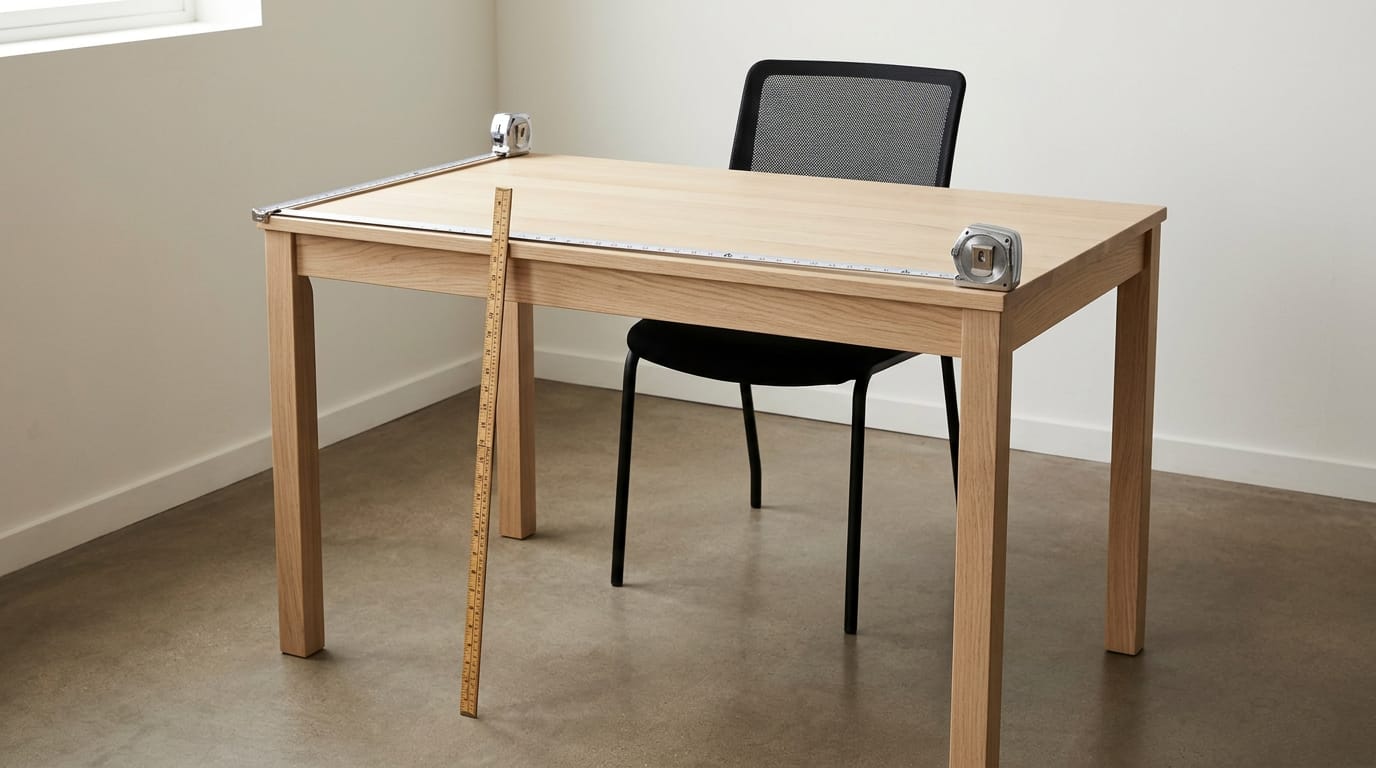
A standard desk is usually 28 to 30 inches high, 48 to 72 inches wide, and 24 to 30 inches deep, but these ranges are only a starting point. Choose height by keeping the keyboard at or below your elbows, and choose width and depth for your equipment, comfortable screen distance, and room to move. The right size fits your body, setup, and room, helping you work comfortably without crowding your gear or blocking your space.
If you’ve ever bought a desk that looked great in the store, only to find your monitor too close or your elbows jammed at an awkward angle, you already know how much size matters.
A desk should fit you and your gear the way a good pair of shoes fits your feet.
Three measurements matter most: height, width, and depth. This post walks through each one in plain terms, then shows you how to size a desk for a gaming setup with multiple monitors, peripherals, and long sessions.
Standard Desk Size at a Glance
Before you buy, it helps to know what standard actually looks like. Most desks fall into predictable ranges, and those numbers show you fast whether a desk will fit your room and your gear.
How tall most desks usually are
Most desks sit between 28 and 30 inches tall, with 29 inches the most common. In metric, that’s roughly 70 to 75 cm, and it’s the standard height you’ll run into most often.
If you want a surface that moves, the range gets much wider.
According to mebway.com’s desk height chart, the American National Standards Institute (ANSI) calls for a range of 22 to 46.5 in (56-118 cm) for a keyboard surface that only adjusts in height, to cover both sitting and standing.
Common desk widths and depths
Widths usually run 48 to 72 inches, and depths fall between 24 and 30 inches. In metric, that’s roughly 122 to 183 cm wide and 61 to 76 cm deep. These sizes are consistent across the industry, so they make a reliable starting point for most rooms.
Width decides what fits side by side, while depth decides how far everything sits from your eyes. Consider a gamer squeezing a monitor, keyboard, mouse, and headset onto a desk at the narrow end of that range. The mouse hand ends up crowding the keyboard.
Move toward the wider end and the same setup gets room to breathe, with fewer cramped wrists.
Typical sizes for each desk type
- Writing and compact desks. Built for small rooms and tight corners, they trade surface area for footprint.
- Executive desks. Larger tops give a main workstation room to spread out.
- L-shaped and credenza. An L-shaped desk wraps a corner for extra surface, while a credenza is a long, low storage piece often paired with a desk.
- Traditional vs. executive tables. The difference is mostly scale: traditional tables suit a plain workspace, while executive tables make room for a bigger setup.
Check the listed dimensions on any model you’re considering, because the desk type alone doesn’t tell you the size.
Standard size versus the ideal fit
Standard is a starting point, not a verdict. A standard size is a safe average that suits most people and rooms, but averages don’t know your body or your tasks. The ideal fit depends on your height, how you sit, and what you do at the desk.
Picture a player whose arms climb every time they reach for the mouse. Their desk is a standard size, so the shoulders pay for it. Finding a height that matches the arms lets the shoulders drop and the wrists relax. Standard means safe. Ideal means yours.
Finding the Desk Height That Fits You
Desk height is less about the spec sheet and more about your body. Pick the height that works for you, and check whether 28 inches fits.
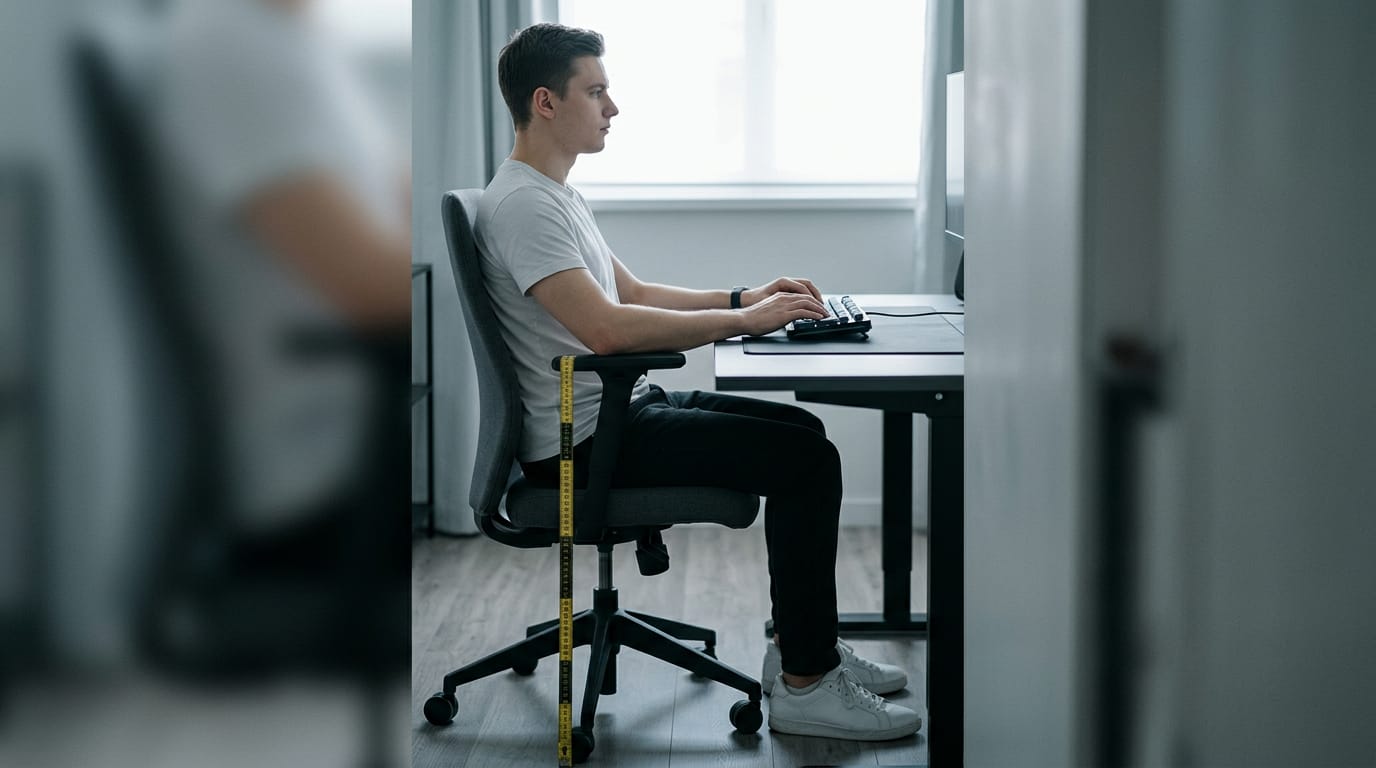
Use your elbows to set the height
Sit in your usual chair and check these:
- Measure your seated elbow height, the distance from the floor to your elbow.
- Bend your elbows to 90 degrees.
- Keep the keyboard at or below elbow height.
- Plant your feet flat on the floor.
Leave legroom and knee clearance underneath, so your knees don’t hit the frame when you shift.
Take a player whose wrist aches after long ranked sessions. Their keyboard sits above elbow height, so the wrist stays bent for hours. Drop it to elbow level and the wrist rests flat.
Adjusting height for taller or shorter people
Taller users need a higher desk, and shorter users need a lower one, since the goal is matching the desk to your elbows. Think of a tall builder sharing a desk with a shorter roommate.
A fixed-height desk can only suit one of them, so an adjustable desk covers both.
A height-to-desk chart or a desk height calculator gives you a starting point, but check the result against your elbows.
Is 28 inches too high for a desk?
Not on its own. Whether 28 inches is too high depends on where your keyboard lands. Keys above your elbows mean wrists bent up and shoulders lifted, which is how wrist and shoulder strain creep in.
A 26-inch desk can feel too low for a taller person, and 30 to 32 inches can be too tall for a shorter one. Either way, you end up bending your body to the desk, and that’s where posture problems start over long sessions.
Your elbows decide.
Matching Width and Depth to Your Setup
Width and depth decide whether your gear fits and stays comfortable. Measure what’s on the desk, then leave room to grow.
Is 32 inches too small for a desk?
For most gaming setups, yes. A laptop usually needs 36 to 48 inches, and a single monitor is the easiest fit. Add a second screen, a third, or paperwork, and the width climbs fast.
Take a player with a laptop and a 32-inch desk. The mouse keeps running out of room. Moving up to 36 inches fixes that, so measure your deskmat and swing room before you buy.
Setting depth for comfortable monitor distance
Depth sets your viewing distance, the gap between your eyes and the screen. Sit about an arm’s length away so your eyes aren’t working hard. Fitting a monitor isn’t the same as viewing it comfortably.
A player with two screens on a 24-inch-deep desk squints every session. Moving to a 30-inch-deep desk restores comfortable distance and helps prevent eye strain.
For a gaming desk, 24 inches is the minimum, and 30 to 36 inches is the recommended depth for multi-monitor setups.
Using monitor arms to save desk depth
A monitor arm clamps to the desk edge and lifts the screen, freeing depth for your keyboard, mouse, and headset stand. Leave room behind the desk for cables and the arm. Put a PC tower on the floor and keep a console’s ports clear of the wall.
Picture a builder with two monitors on a 30-inch-deep desk. Two arms free up the surface, so the keyboard and mouse get room. Same desk, more room.
Making the Desk Fit Your Room
Before you shop, we’d check what your room can hold. The best desk is the one that fits the space, not the one that just looks good in a product photo.
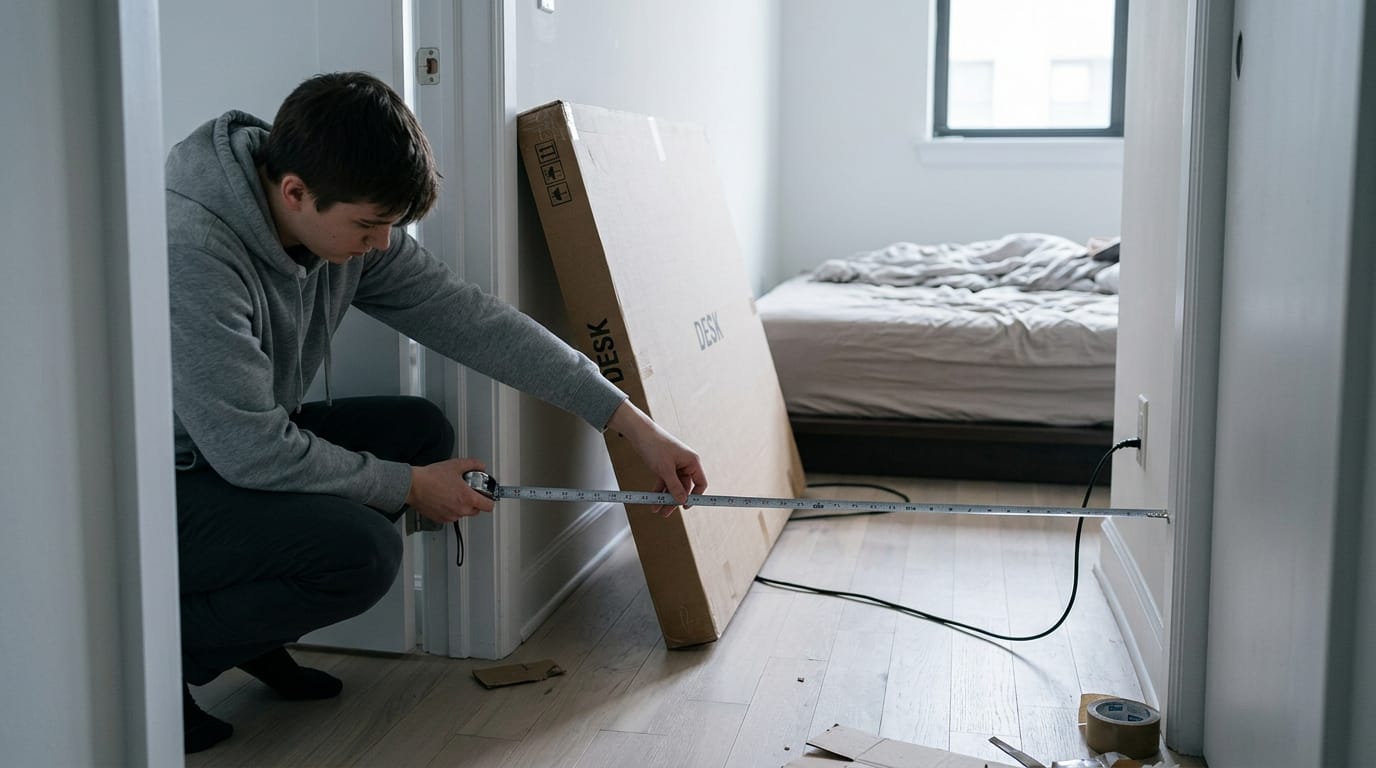
Measure your room before you buy
Measure the room’s length and width first, then check the details that are easy to forget:
- Doorway access: Can the desk get through the door and around the corner?
- Outlets and windows: Note the outlets, since monitors and computers need power, and mark windows for glare.
- Ceiling height: Check it before you plan a monitor arm or overhead shelf.
Consider a player in a small apartment who orders a wide desk online. It fits through the door, but the only outlet hides behind the bed frame. A quick measure would have caught it before delivery.
Leaving room around the desk
A desk needs more room than its own surface. Your chair has to roll back and spin without hitting a wall, and every drawer and door needs clearance to open fully. Keep a walking path to the door clear, so you’re not squeezing past the chair.
If the room will hold more than one workstation, plan floor space for each one. Leave room to move.
Picking a size for small or large rooms
Compact desks suit small rooms, where a smaller top keeps the walkway open. Larger desks suit big rooms, with space for multiple monitors and a mic arm.
Avoid the biggest desk that fits, since an oversized one eats the floor you need for the chair and walking path. Bigger isn’t better. For corners, alcoves, or sloped ceilings, a custom desk built to the exact space is often the cleanest fit.
Sit-stand and Adjustable Desk Options
A sit-stand desk lets a long session mix sitting and standing.
How tall should my standing desk be at 6’4”?
Match your desk to your standing elbow height: stand tall, bend your elbows, and check that your forearms rest level on the surface. Repeat the check seated, since your seated elbow height differs and the desk must reach both.
At 6’4”, your standing height may sit near the top of a desk’s range, so check the maximum first. Shorter users mainly need a low minimum, and adjustment spans vary by model.
Taller settings put more load on the frame, so check the weight capacity and stability before you buy.
Why moving beats a fixed-height desk
A fixed desk locks you into one posture for hours. It’s less about how high the desk goes and more about how often you change it. Changing posture raises a fair question about which standing desk benefits really hold up.
A systematic review of sit-stand workstations found they can reduce low back discomfort compared with prolonged sitting at a fixed desk. Picture a roommate studying at the same desk while a 6’4” player stands for late-night matches.
A fixed height can’t suit both; a sit-stand frame lets each save a height that fits.
Getting the most from a sit-stand desk
If your desk has memory buttons, save one seated and one standing height as programmable height presets. Alan Hedge, a Cornell University ergonomist, developed the Sit-Stand-Stretch regimen, also known as the 20-8-2 rule:
- 20 minutes sitting in good posture
- 8 minutes standing
- 2 minutes standing and moving for every half hour of your workday
Leave cable slack in power, monitor, and USB cables so nothing pulls tight as the desk rises. Track your cumulative standing hours across the whole day, not in one stretch. Small switches add up.
Picking the Right Desk Shape and Style
Shape decides how your gear sits, so settle it before you worry about exact dimensions.
Straight, L-shaped, corner and retractable desks
- Straight desks. One flat run along a wall. Simple to fit, but extra screens crowd the keyboard.
- L-shaped desks. A return adds room for a second screen or a wheel and pedals.
- Corner desks. They tuck into a corner to save wall space but can limit monitor setups.
- Retractable models. They fold or slide away when you’re done.
Think of a player with two monitors who games for hours. An L-shaped desk gives the second screen its own space, keeping the keyboard centred in front of the chair.
How traditional and executive desks differ
Traditional desks suit one task, while executive desks hold whole workstations. For gaming, ask how much gear the desk can hold.
- Compact single-task desk. Fits one monitor and a keyboard.
- Executive command center. A wide surface for several monitors and peripherals.
- Integrated storage. Drawers and shelves keep clutter off the surface.
| Compact single-task desk | Executive command center | |
|---|---|---|
| Best for | One screen | Several monitors |
| Storage | Minimal | Built in |
Your gear decides the size, so match the desk to what you run. Fit beats size.
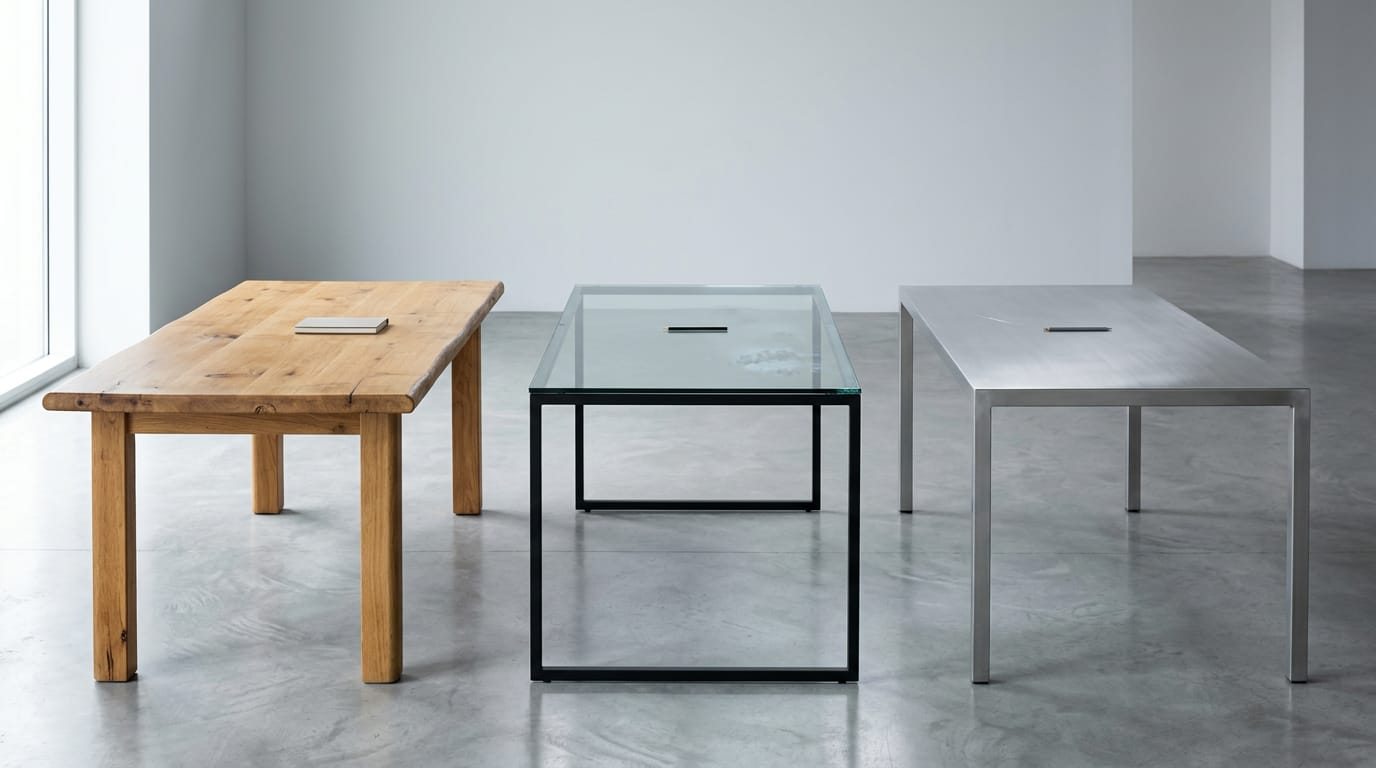
Wood, glass, and metal desk materials
Material mostly shapes how a desk looks and feels.
- Solid wood. Warm and sturdy, but it’s heavy to move.
- Glass. Sleek and open, though it shows fingerprints.
- Metal. A clean, modern look. Check the finish for scratches.
Custom cabinetmaker desks. For an awkward corner, a cabinetmaker can build to your exact width and depth.
FSC certified wood. If sourcing matters, look for FSC (Forest Stewardship Council) certification, which shows the wood came from responsibly managed forests.
Ways to Fix a Poor Fit
Your desk may be the wrong height, or it may be the only one you’ve got. Start with what you can change today.
Making a fixed desk work for you
You can’t always swap the desk, but you can adjust almost everything around it:
- Adjust your chair first. Set the seat so your forearms rest level with the keyboard, then check the screen sits at or just below eye level.
- Add a footrest. It takes pressure off your thighs and lower back during long sessions.
- Use a keyboard tray. It lowers your keyboard when your elbows sit above the tabletop.
- Add a monitor riser. It keeps your neck from tilting down for hours and frees up space underneath.
Think of a student who uses one desk for homework and nightly matches. Their chair was too low, so their elbows sat above the tabletop. Raising the seat and adding a keyboard tray fixed it, and the desk never had to change.
Raising the desk with risers safely
If the desk is simply too low, risers can lift it, but only if you use them safely.
- Bed risers are cheap, but they were built for beds, not a desk loaded with monitors. Use them only if they sit flat and fit your legs snugly.
- Desk risers under legs are made for this job. Place one under each leg and raise them evenly so the surface stays level.
- Check weight support before you lift. Add up your monitors, tower, and speakers, then confirm the desk and risers can carry that total. Don’t guess.
Problems a Wrong-sized Desk Causes
A desk that’s the wrong size rarely announces itself. The symptoms show up slowly in your body and your focus, so it helps to know what to watch for.
Pain and focus problems to watch for
Here’s what to watch for:
- Back, neck, and shoulder pain: If your desk or chair doesn’t fit your frame, your upper body has to compensate, and the ache builds over a long session.
- Wrist strain: A keyboard and mouse that sit too high or too low can force your wrists into awkward angles.
- Eye strain: A screen that’s too close, too far, or at the wrong height can leave your eyes working harder than they should.
- Reduced concentration: Discomfort pulls your attention away from the match. Poorly fitted workstation setups can contribute to this, and a study of secondary students in Perlis, Malaysia found that 31.6% of respondents strongly agreed that poorly sized chairs impair concentration and learning performance.
Consider a player who logs four hours of ranked matches on a two-monitor setup, with the keyboard perched on a desk that’s a little too low. Early on, it feels fine.
By the third match, their shoulders are hunched, their wrists are bent up off the keys, and they can’t quite say why their focus keeps slipping.
The strain builds over hours rather than minutes, which is why it’s easy to blame the game or your reflexes instead of the desk. Your body usually notices first.
Getting desk size right comes down to height, width, and depth working together with your room. Nail those three and your desk becomes somewhere you actually want to spend hours.
You don’t need a perfect measurement. You need a desk that keeps your screens in view, leaves room for your mouse to move, and still works for the life around it. Measure your space first, and the rest of your setup will fall into place.
References
- Effects of Sit-Stand Workstations on Spinal Alignment, Core Muscle Activation, and Low Back Pain: A Systematic Review of Occupational Ergonomics — doi.org (2026)
- The Influence of Knowledge, Practices, Attitudes and Perceptions on Students’ Comfort in using School Chair at Secondary School in Perlis, Malaysia — doi.org (2025)
- Take A Stand-A Healthier Way To Work — smarterprocessco.com.au
- Standard Desk Height: Chart by Height, Sitting and Standing — mebway.com
Questions
What is the ideal width of a desk?
An ideal desk width depends on your room, body, and equipment. Most desks are 48 to 72 inches wide; choose more width if you need multiple monitors, peripherals, or extra mouse space.
What is the recommended depth for a gaming desk?
For a gaming desk, 30 to 36 inches deep is recommended for a multi-monitor setup. A depth of 24 inches is the minimum, but it may limit comfortable viewing distance and workspace.
What is the standard height of an office table in inches?
A standard office desk is usually 28 to 30 inches tall, with 29 inches being the most common height. The right height for you depends on where your elbows sit when you’re seated.
What is the 20/8-2 rule?
The 20/8-2 rule is a sit-stand routine: spend 20 minutes sitting with good posture, 8 minutes standing, and 2 minutes standing and moving during each 30-minute cycle. It was developed by ergonomist Alan Hedge.
How deep is a typical office desk?
A typical office desk is 24 to 30 inches deep. The right depth depends on how much equipment you use and how far your monitor needs to sit from your eyes.
How tall should my standing desk be if I'm 6'4"?
At 6'4", set your standing desk so your forearms rest level on the surface when your elbows are bent. Check the desk’s maximum height, since you may need a setting near the top of its range; your elbow height is a better guide than a height estimate alone.
Is 32 inches too small for a desk?
For most gaming setups, 32 inches wide is too small, especially if you use a monitor and need room for a mouse. It may work for a very compact setup, but 36 inches or more gives you more room to move and arrange your gear.
Is 24 inches deep enough for a desk?
A 24-inch-deep desk is the minimum for a gaming setup and may work with a single monitor. For multiple monitors, 30 to 36 inches is recommended to provide more space and a comfortable viewing distance.
Sources
- Standard Desk Height: Chart by Height, Sitting and Standing - mebway.com, mebway.com
- Effects of Sit-Stand Workstations on Spinal Alignment, Core Muscle Activation, and Low Back Pain: A Systematic Review of Occupational Ergonomics, doi.org,
- Take A Stand-A Healthier Way To Work, smarterprocessco.com.au
- The Influence of Knowledge, Practices, Attitudes and Perceptions on Students' Comfort in using School Chair at Secondary School in Perlis, Malaysia, doi.org,
Free · The Build Sheet
The Build Sheet: three gaming PCs priced at Canadian stores