Gaming chair vs office chair for long gaming sessions
The parts of a chair that matter in the third hour, checked against CCOHS guidance, with a gaming and an office chair priced at three Canadian budgets.

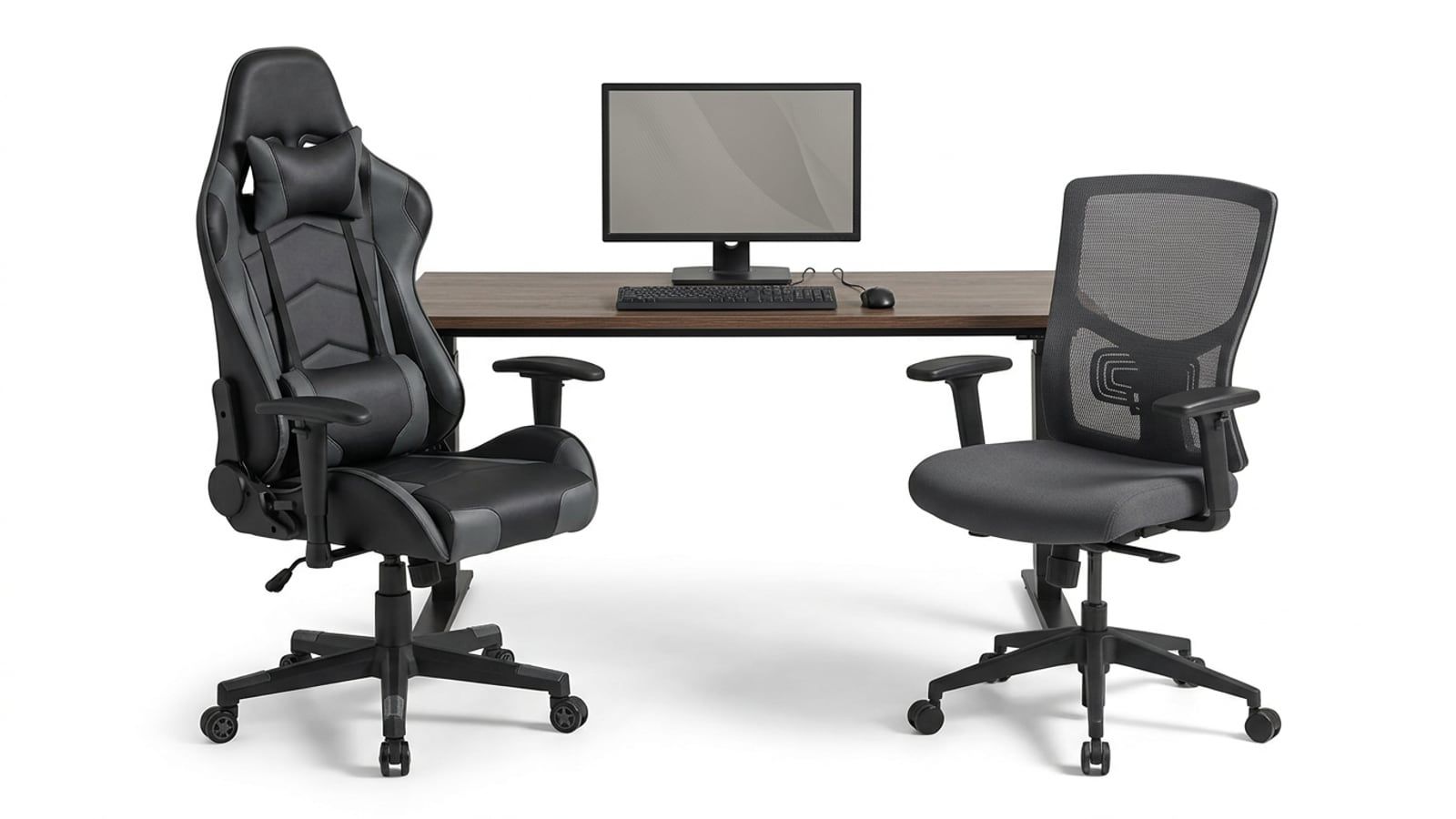
Buy the chair that has the adjustments CCOHS describes (seat height, a seat that leaves a fist of space behind your knees, a backrest that fits the hollow of your lower back, armrests that adjust), whichever aisle it comes from. A gaming chair earns its place when you want the deep recline and the head pillow and its seat fits you: the TITAN Evo’s seat depth, for one, does not adjust.
For long sessions, buy the chair with the most adjustment for your money, from whichever aisle it comes from: the label matters less than what moves. Under $300 the gaming chair we priced adjusts more than the office chair; around $700 the office chair adjusts the one thing the gaming chair can’t, its seat depth. A gaming chair is worth buying when you want what it does best, a deep recline and a head pillow, and its seat fits your body. The guidance below is from the Canadian Centre for Occupational Health and Safety (CCOHS), whose first point is that one chair does not fit everyone. Prices are in Canadian dollars before tax, checked in October 2026.
The short answer
- Under $300: the IKEA MARKUS office chair at $229 has a taller seat range and a ten-year warranty; the Razer Iskur V2 X at $299.98 adds armrests that adjust and a recline to 152 degrees.
- Around $600 to $700: the Steelcase Series 1 at $584 adjusts the seat depth and the lumbar height; the Secretlab TITAN Evo at $714 adjusts the lumbar in height and depth and reclines further, with a fixed seat.
- Over $2,000: both the Steelcase Leap and the Herman Miller Embody Gaming Chair adjust nearly everything. Buy that much chair only after you have sat in one.
What a chair has to do for a long session
The CCOHS page on choosing an ergonomic chair is a short list, and none of it depends on the shape of the backrest:
- Seat height that adjusts, so your feet rest flat on the floor or a footrest without pressure under your thighs.
- Seat depth that lets you sit all the way back without pressure behind your knees.
- A backrest that moves up and down and forward and back, with firm support for your lower back.
- Armrests that adjust in height and width, or come off if they keep you from the desk.
- A five-point base, casters that suit your floor, and a seat surface that breathes.
CCOHS also says a chair on its own won’t solve the problems that come with sitting: the desk has to fit as well, and you still need to get up and move. Read every chair below against that list.
Lumbar support: built in, adjustable or a pillow
A chair supports the lower back in one of three ways. A fixed curve is shaped into the backrest: the Razer Iskur V2 X has what Razer calls an integrated lumbar arch, and IKEA lists lumbar support on the MARKUS without an adjustment for it. A fixed curve only helps if it lands where your back curves, so sit in it before you rely on it. An adjustable support moves: the Steelcase Series 1 and Leap adjust in height, and the Leap adds a firmness dial; the TITAN Evo’s support adjusts in height and depth. A cushion you strap on and slide into place is the third way, and the cheapest, and it can be added to a chair you already own.
CCOHS’s test is simple: the backrest should fit the hollow in your lower back. An adjustable support passes it for more people.
The seat: depth, edge and foam
Seat depth is the measurement to check first on a gaming chair. CCOHS asks for room for a clenched fist, about 5cm, between the front of the seat and the back of your calves. A seat too deep for your legs either presses behind your knees or keeps you from sitting back against the backrest.
The TITAN Evo’s seat is 49cm deep in the Regular size, which Secretlab recommends for people 170 to 189cm tall, and it does not adjust. The MARKUS seat is 47cm and fixed. The Steelcase Series 1 adjusts its depth, and the Embody Gaming Chair goes from 15 to 18 inches (38 to 46cm). The Leap’s seat glides forward as you recline, which Steelcase calls its Natural Glide System.
Racing-style seats curve up at the sides. CCOHS asks for a seat wide enough to spread your weight evenly and let you shift position, so check that your thighs sit on the flat part. Foam is harder to judge from a listing: Secretlab describes cold-cure foam, Herman Miller copper-infused cooling foam. Neither tells you how it will feel in the third hour, which is why a return window matters.
Armrests, recline and headrests
CCOHS sets the armrests last: sit up straight, bend your elbows to about 90 degrees, and raise the armrests until they barely touch the undersides of your elbows. If even the lowest setting lifts your elbows, take the armrests off. Armrests that adjust make that possible:
- Razer Iskur V2 X: 2D, up and down and turned in or out.
- Secretlab TITAN Evo: 4D, full metal, with swappable tops.
- Steelcase Leap: 4D, height, width, depth and pivot.
- Herman Miller Embody Gaming: height and width.
- IKEA MARKUS: armrests fitted; IKEA lists no adjustment for them.
Recline is where gaming chairs lead. The TITAN Evo reclines from 85 to 165 degrees and the Iskur V2 X to 152; the Leap has four recline settings and an upright lock, and the Embody a tilt limiter. CCOHS gives no recline angle, and you won’t play leaning back at 165 degrees, but it is the position for a cutscene, a queue or a stream between matches. The TITAN Evo comes with a magnetic memory foam head pillow (Secretlab values it at $59). A headrest only earns its place on a chair you actually recline in.
Mesh, fabric or PU leather
CCOHS says seat materials are usually breathable, to keep heat and moisture down. A mesh back, like the MARKUS’s, lets air through and suits a warm room. Fabric sits in between: the Iskur V2 X here is fabric, and Secretlab sells the TITAN Evo in its SoftWeave Plus fabric as well as leatherette. PU or hybrid leatherette wipes clean and looks the part, but it doesn’t let air through the way mesh does. If your sessions run long in summer, choose mesh or fabric.
Three budgets, one of each kind
| Chair | Kind | Price, October 2026 | Lumbar support | Seat depth | Armrests |
|---|---|---|---|---|---|
| IKEA MARKUS | Office | $229 at IKEA Canada | Built in, no adjustment listed | 47cm, fixed | No adjustment listed |
| Razer Iskur V2 X | Gaming | $299.98 at Best Buy | Fixed arch | Not listed | 2D |
| Steelcase Series 1 | Office | $584 on sale at Steelcase Canada | Height-adjustable | Adjustable | Adjustable |
| Secretlab TITAN Evo (Regular) | Gaming | $714 on sale at Secretlab Canada ($829 regular) | Height and depth | 49cm, fixed | 4D |
| Steelcase Leap | Office | $2,167 on sale at Steelcase Canada | Height and firmness | Glides as you recline | 4D |
| Herman Miller Embody Gaming | Gaming | $2,677.50 on sale at Herman Miller Canada ($3,570 regular) | BackFit adjustment | 38 to 46cm | Height and width |
Under $300, neither chair adjusts its lumbar support or seat depth. The IKEA MARKUS has a seat that goes from 46 to 57cm high, which suits taller players, a mesh back and a ten-year warranty. The Iskur V2 X costs $71 more at Best Buy this month (Razer’s own price is $449.99), for armrests that adjust and a deeper recline; Razer designs it for people 160 to 190cm tall.
Around $600 to $700, the Secretlab TITAN Evo has the better lumbar support and the recline, and the Series 1 has the seat that adjusts to your legs, for $130 less. If you are under 170cm, or your fist doesn’t fit between the TITAN Evo’s seat and your calves, take the Series 1.
Over $2,000, both adjust to most bodies, and the difference is how they feel, which no listing can tell you. Herman Miller’s twelve-year warranty is the longest here. Spend this much only where you can sit in the chair first or send it back.
Buy where a return is easy. Secretlab lists up to a 49-day refund and return policy, and CCOHS recommends trying chairs in real working conditions before choosing one. A chair you have sat in for an evening tells you more than any spec sheet.
A chair isn’t in the totals on the Build Sheet, so if you are budgeting for a new PC and a chair together, count it separately. More desk and chair guides are in Desks & Chairs.
Set up the chair you already have
Before you buy anything, set up your current chair the way CCOHS’s guide to adjusting office chairs describes:
- Stand in front of the chair and set the seat so its highest point is just below your kneecap.
- Sit with your feet flat on the floor and check for a fist’s width, about 5cm, between the front of the seat and your calves.
- Move the backrest up or down and forward or back until it fits the hollow in your lower back. If it doesn’t adjust, try a lumbar cushion.
- Set the armrests so they barely touch the undersides of your elbows when your arms hang loosely and your elbows bend to about 90 degrees.
- Check the desk. If you have to lift your arms to reach it, adjust the chair until your elbows are about level with the desk, and if your feet no longer rest flat on the floor, add an adjustable footrest that supports both feet.
The CCOHS fact sheets and Stretchly, a free break reminder, are both on our Toolkit. Where your hand lands on the mouse matters too: our guide to choosing a gaming mouse for your hand and grip starts from the same desk. If you stream, the chair is also on camera for hours; what you need to start streaming covers the rest of that setup.
Questions
Are gaming chairs bad for your back?
A chair is not good or bad for a back by its kind. What the Canadian Centre for Occupational Health and Safety describes is fit: a seat height and depth that suit you, a backrest that adjusts to your lower back, and armrests at the right height. A gaming chair that adjusts to you meets that list; one whose fixed seat is too deep for you does not. If sitting hurts, ask a physiotherapist or your doctor rather than a chair maker.
Is an office chair better for gaming?
Not by default; compare what each one adjusts. In our mid-price pair, the Steelcase Series 1 adjusts its seat depth and costs $130 less than a Secretlab TITAN Evo, whose seat depth is fixed. The gaming chair gives you a deeper recline, a head pillow and 4D armrests. Pick by which of those you will use.
What should I look for in a chair for long gaming sessions?
A seat height range that puts your feet flat on the floor, a seat depth that leaves about a fist of space between the seat edge and your calves, lumbar support you can move up and down, and armrests that adjust in height and get out of the way of the desk. A breathable seat and a five-point base are on the CCOHS list too. Then sit in it, or buy where returns are easy.
Is a Secretlab chair worth it compared with an office chair?
The TITAN Evo is $714 on sale at Secretlab Canada this month ($829 regular), with lumbar support that adjusts in height and depth, 4D armrests and a recline to 165 degrees. Its seat depth is fixed at 49cm in the Regular size, so measure from the back of your knee to the back of your seat first. If that fits you, it is a well-equipped chair; if it does not, an office chair with an adjustable seat is the better buy for less.
How long do gaming chairs last?
We have not tested any chair for years, so the honest guide is the warranty, the maker’s own statement of what it will stand behind. Razer lists a three-year limited warranty on the Iskur V2 X, IKEA ten years on the MARKUS, and Herman Miller twelve years on the Embody Gaming Chair. Read the warranty for the exact model and material before you buy.
Sources
- Office Ergonomics - Ergonomic Chair, Canadian Centre for Occupational Health and Safety
- Office Ergonomics - How to Adjust Office Chairs, Canadian Centre for Occupational Health and Safety
- Secretlab TITAN Evo, Secretlab
Free · The Build Sheet
The Build Sheet: three gaming PCs priced at Canadian stores