How to choose a gaming mouse for your hand size and grip
Measure your hand, find your grip and turn both into a mouse length, then compare six mice by their makers’ dimensions, Canadian prices and return terms.

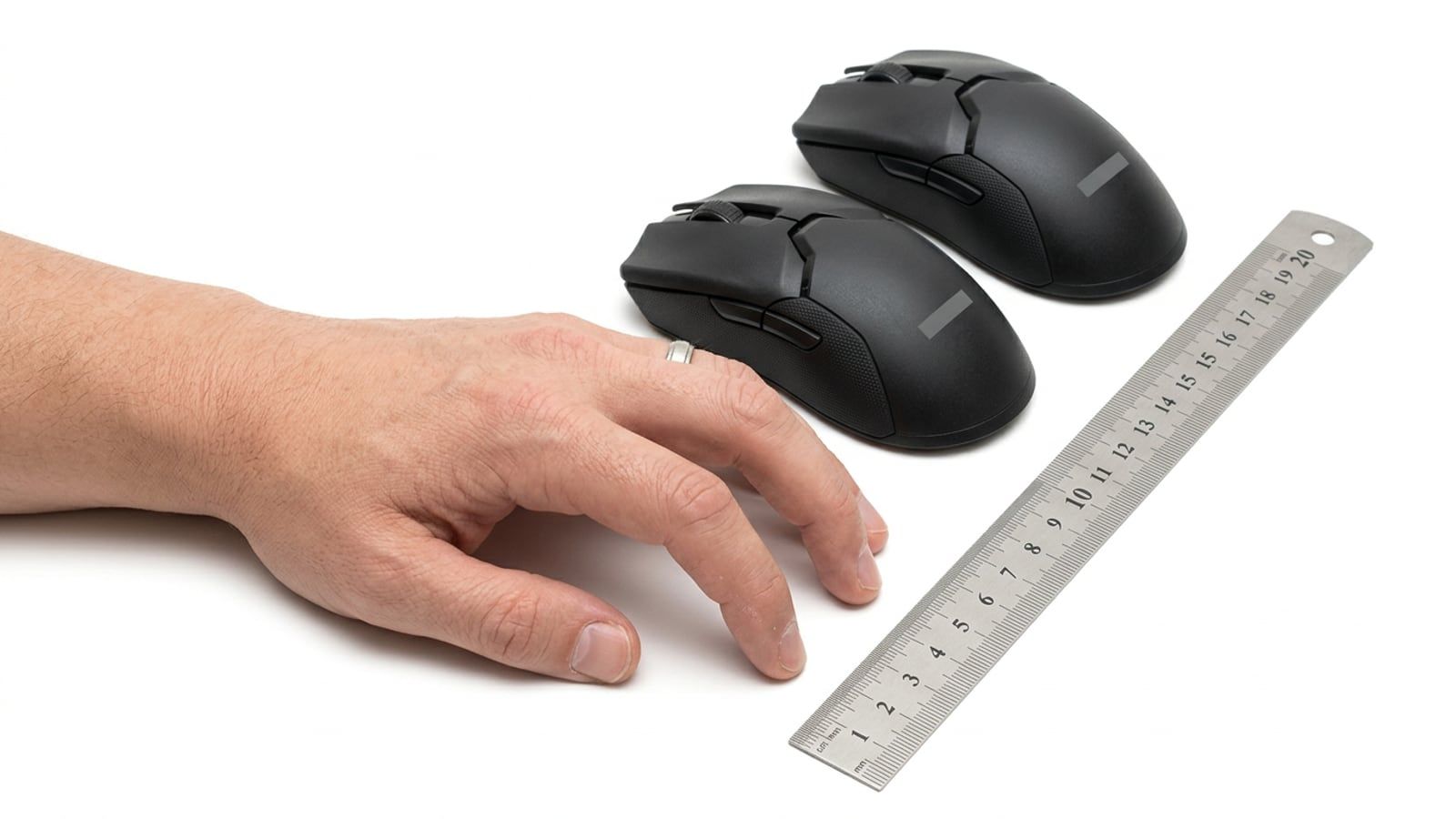
Hold your hand in the grip you use, measure from where your palm meets the mouse to the tips of your fingers on the buttons, and buy a mouse close to that length. Then choose the shape, symmetrical or ergonomic, and buy from a store whose return policy lets you send back an opened mouse in like-new condition.
- Time
- 10 minutes to measure
- Difficulty
- Easy
- You’ll need
- A ruler or tape measure, and the mouse you use now
The quickest way to a mouse that fits: hold your hand in the grip you already use, measure from the point where your palm meets the mouse to the tips of your fingers on the buttons, and look for a mouse close to that length on its maker’s spec page. Then pick the shape, symmetrical or ergonomic, and buy it from a store that will take an opened mouse back. The rest of this guide is the detail: how to measure, how to name your grip, why the size charts disagree, and six mice with their published dimensions and Canadian prices.
Measure your hand
You need a ruler or a tape measure and two minutes. Measure in millimetres, since that’s how mouse makers publish their sizes.
- Length. Lay your hand flat on the desk, palm down, fingers together. Measure from the crease where your wrist meets your palm to the tip of your middle finger.
- Width. Measure straight across your palm at the knuckles, from the outside of your index finger to the outside of your little finger, leaving the thumb out.
- Write both down. They are a starting point. The measurement that decides the mouse comes in the third step, once you know your grip.
Find your grip: palm, claw or fingertip
Most players use one of three grips, often without knowing its name:
- Palm grip. The whole hand lies on the mouse: the palm on its back, the fingers flat along the buttons.
- Claw grip. The base of the palm touches the back of the mouse and the fingers arch, so only the fingertips press the buttons.
- Fingertip grip. Only the fingertips and the thumb touch the mouse; the palm stays off it.
The desk test: play for twenty minutes as you normally do, then freeze your hand mid-game and look down. Note which parts of your palm are touching the mouse. That’s your grip, whatever you think it is.
From hand to mouse: length, width and hump
Here is why the size charts from different makers disagree: the same hand wants a longer mouse in a palm grip than in a claw or fingertip grip, because the fingers curl back and the palm covers less of the mouse. A chart that turns hand length straight into mouse length has to assume a grip, and each maker assumes a different one.
So measure the grip itself. Rest your hand in your grip on the desk, with the ruler beside it, and measure from the tip of your index finger, where it sits on the button, back to the first point of your palm that touches the mouse: the heel of the palm in a palm grip, the base of the palm in a claw grip. In a fingertip grip the palm stays off, so measure back to where your palm hangs; a mouse longer than that will bump it. A mouse close to your measurement will fit the grip you actually use.
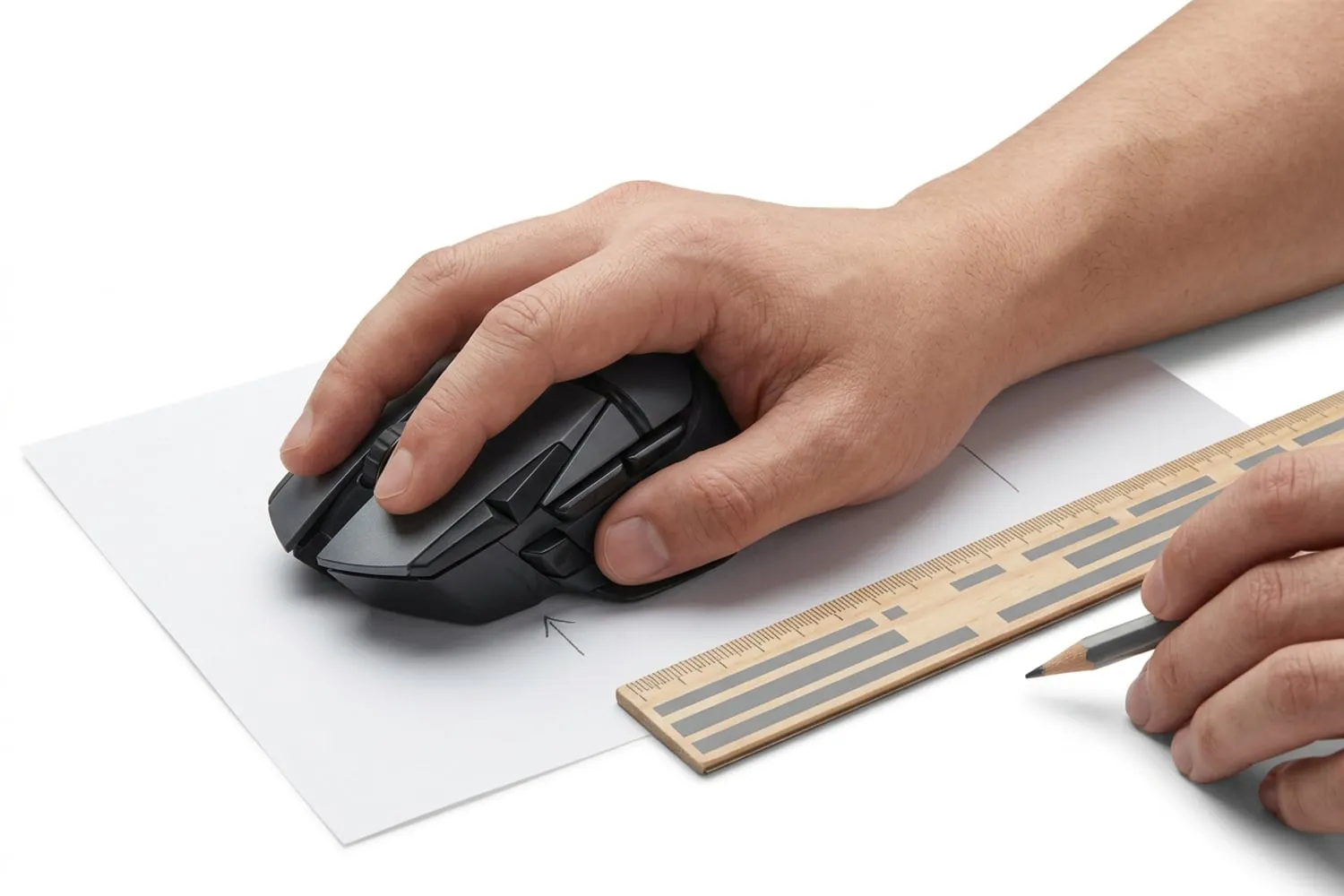
Then check two more numbers on the spec page:
- Width. Your thumb and your ring finger hold the sides. A mouse that’s too wide spreads them apart; one that’s too narrow leaves the little finger dragging on the desk.
- Height, and where the hump sits. A palm grip wants the highest point under the hollow of the palm. A claw grip usually suits a hump set further back, under the base of the palm. Makers publish the height; for the position of the hump, look at the side-on photo on the product page.
The Canadian Centre for Occupational Health and Safety puts the same idea plainly: choose a mouse that fits your hand, hold it loosely, keep the wrist straight and move from the elbow rather than the wrist. A mouse that fits makes that easier; the height of your desk and chair matter as much, and our gaming chair vs office chair guide covers that side of the setup.
Shape: symmetrical or ergonomic
- Symmetrical mice are the same shape on both sides, with the side buttons usually on the left only. They tend to suit claw and fingertip grips, because the fingers sit evenly across the front. Left-handed players often use them too; check where the side buttons are first.
- Ergonomic mice are shaped for one hand, almost always the right, with a slope that lifts the outer edge and supports the palm. They tend to suit palm grips. Razer describes the DeathAdder V3 as a “right-handed ergonomic shape”.
Some makers sell one shape in several sizes, which is the easiest way to get a shape you like in your length. Zowie’s EC series comes in three: the EC3, EC2 and EC1 (small, medium and large), all ergonomic, and sold now as the wireless EC-DW models. Its Canadian page lists their weights (59 to 63 grams) but not their dimensions, so hold one before you buy if you can.
Weight, wireless and the sensor
Weight is a preference: a lighter mouse takes less effort to start and stop, and some players find a heavier one steadier. Wireless is no longer a compromise for games: Logitech and Razer build their top esports models, such as the PRO X Superlight 2 and the Viper V3 Pro, as wireless mice, and Logitech lists the PRO X Superlight 2 at up to 8 kHz polling over its own link. The sensor matters least for fit. Every mouse in the table below has an optical sensor of its maker’s own; set the DPI and the buttons in the maker’s app (Logitech G HUB, Razer Synapse or SteelSeries GG, all on our Toolkit) once the mouse is in your hand.
Mice to start from, by hand size
Six mice from two makers that publish full dimensions, from shortest to longest. Length, width and height are the makers’ figures in millimetres (Logitech labels front-to-back length as “height” on its spec pages; it’s listed here as length). Razer’s page for the V3 Pro gives its weight; the size is the one Razer publishes for the DeathAdder V3 shape the two share. Prices are at Best Buy, sold and shipped by Best Buy, before tax, checked in October 2026; three were on sale.
| Mouse | Shape | Length × width × height | Weight | Price at Best Buy, October 2026 |
|---|---|---|---|---|
| Logitech G305 Lightspeed | Symmetrical, wireless | 116.6 × 62.15 × 38.2 | 99 g with an AA battery | $69.99 |
| Logitech PRO X Superlight 2c | Symmetrical, wireless | 118.4 × 61.2 × 38.6 | 53 g | $199.99 (sold as the Superlight 2 Compact) |
| Razer DeathAdder V3 HyperSpeed | Right-handed ergonomic, wireless | 122.2 × 64.8 × 41.3 | 55 g | $105.98, on sale |
| Logitech PRO X Superlight 2 | Symmetrical, wireless | 125 × 63.5 × 40 | 60 g | $219.99 in magenta; other colours cost more |
| Razer DeathAdder V3 | Right-handed ergonomic, wired | 128 × 68 × 44 | 59 g without the cable | $74.98, on sale |
| Razer DeathAdder V3 Pro | Right-handed ergonomic, wireless | 128 × 68 × 44 | 64 g | $109.99, on sale |
How to read it against your grip measurement:
- Your grip measures under about 120 mm. Start with the two short Logitechs. The G305 is the cheap way in, at the cost of weight; the Superlight 2c is the same family’s light, compact model.
- Your grip measures in the low to mid 120s. The DeathAdder V3 HyperSpeed if you palm the mouse and want the ergonomic slope; the PRO X Superlight 2 if you claw or fingertip and want a symmetrical shape.
- Your grip measures 128 mm or more. The DeathAdder V3, wired, or the V3 Pro, wireless: the same size and shape, five grams apart. This month the wireless one costs $35 more.
The Build Sheet totals leave out the mouse, the keyboard and the monitor, so add the mouse to your budget when you pick a tier. More guides to mice, keyboards and controllers are in Peripherals.
Try it, or buy where returns are easy
Nothing beats holding the mouse in your grip for a few minutes. If a store near you has the one you want on display, take your measurement with you and try it. If not, buy where an opened mouse can go back:
- Best Buy takes most products back within 30 days of an in-store purchase, or 30 days from delivery for an online order, in like-new condition, in the original packaging and with the original receipt. Some categories, including computer components and upgrades, can only go back unopened, so check the category on the product page. The policy is on Best Buy’s return and exchange policies page.
- Best Buy Marketplace sellers set their own terms, shown on the product page, and items go back to the seller by mail, not to a store. An opened item must be in like-new condition with no signs of use.
Before you open the box, keep everything that came in it, and use the mouse on a clean mousepad for the first evening so it still looks like new. If the same mouse is cheaper at another Canadian store, our guide to price matching in Canada shows which stores will match it.
Questions
What size mouse should I get for my hand?
Measure your grip, not only your hand. Rest your hand in the grip you use, measure from the point where your palm touches the mouse to where your fingertips sit on the buttons, and look for a mouse close to that length. Makers publish length, width and height on their spec pages, so you can compare before you buy.
Is claw or palm grip better for gaming?
Neither is better; the best grip is the one your hand settles into after an hour. Palm grip rests the whole hand on the mouse, while claw and fingertip grips leave more of the movement to the fingers. What the grip changes is which mouse fits, because a claw or fingertip grip covers less of the mouse than a palm grip does.
Is a lighter mouse better for gaming?
It is a preference. A lighter mouse takes less effort to start and stop, and some players find a heavier one steadier for slow, careful aim. Five of the six mice in our table weigh 64 grams or less; the Logitech G305 is 99 grams with its AA battery.
Are wireless gaming mice good enough for competitive games?
Yes. Logitech and Razer build their top esports models, such as the PRO X Superlight 2 and the DeathAdder V3 Pro, as wireless mice, and Logitech lists the Superlight 2 at up to 8 kHz polling over its own wireless link. Keep the battery charged and the receiver within easy reach of the mouse.
Can I return a mouse in Canada if it doesn’t fit?
Usually, if you check the terms first. Best Buy takes most products back within 30 days of purchase or delivery, in like-new condition, in the original packaging and with the receipt. Items from a Best Buy Marketplace seller follow the seller’s own terms and go back by mail, so read the return terms on the product page before you buy.
Sources
- G305 LIGHTSPEED Wireless Gaming Mouse Technical Specifications, Logitech
- Razer DeathAdder V3 HyperSpeed, Razer
- Best Buy Return and Exchange Policies, Best Buy Canada
- Office Ergonomics - Computer Mouse - Selection and Use, Canadian Centre for Occupational Health and Safety
Free · The Build Sheet
The Build Sheet: three gaming PCs priced at Canadian stores