Price per Gigabyte Explained: Find the Best Storage Value
Price per gigabyte reveals which drive offers the best value. Compare Canadian costs by storage type and see when hard drives beat SSDs.

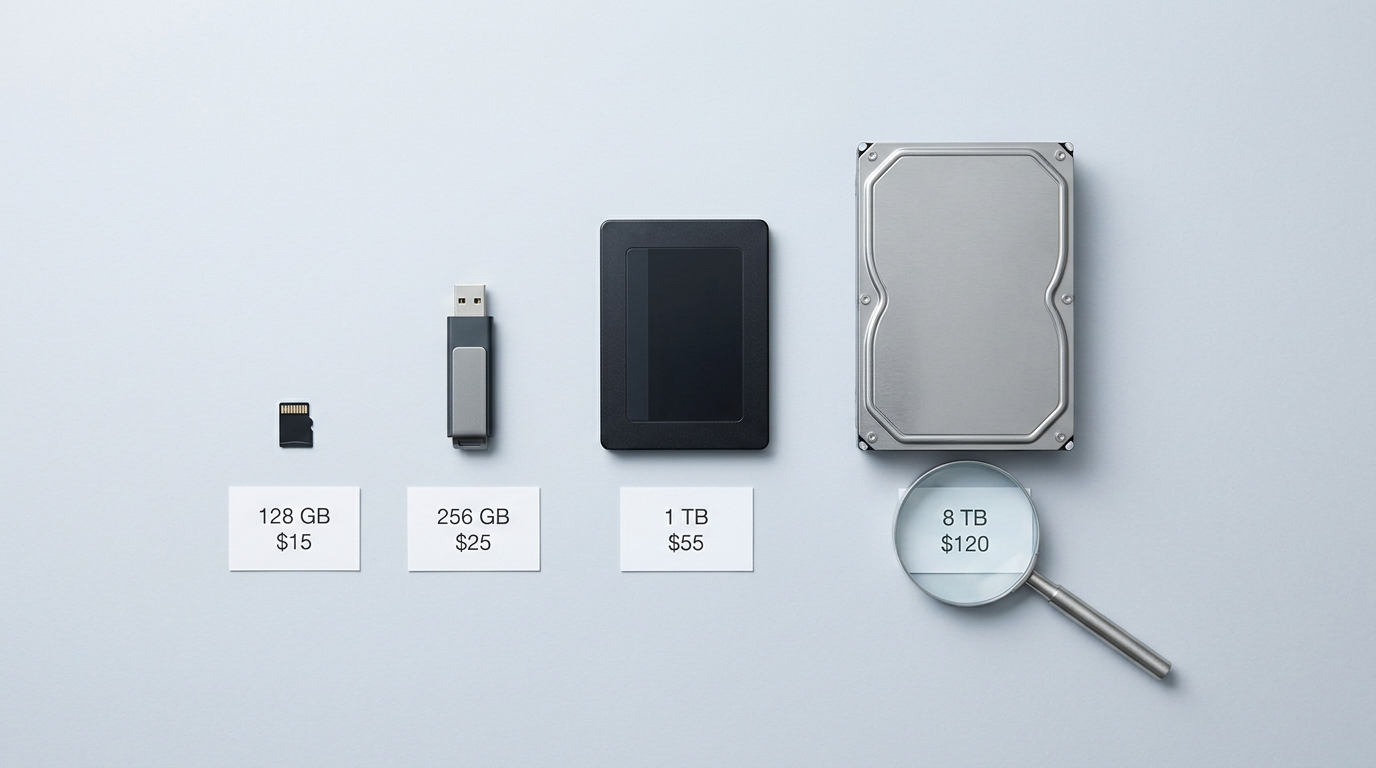
Price per gigabyte is the cost of a storage drive divided by its capacity, letting you compare different sizes on the same scale. Use the per-GB or per-terabyte price alongside the drive’s speed, reliability, warranty, and intended use, and check current prices in Canadian dollars because deals and market prices change. HDDs generally provide more capacity for the money, while SSDs cost more but load files faster, so the best buy is the drive that fits your needs and budget.
Think of the unit-price sticker on a grocery shelf. It shows what each gram costs, so you can spot the better deal even when packages differ in size. Storage shopping works the same way.
Your price per gigabyte (GB) is the price divided by the capacity, and it shows which drive gives you the most space for your money.
Canadian shoppers also need to watch prices in Canadian dollars (CAD) and sales timing. Here, we’ll walk through the math, benchmark costs by drive type, and show you what a good price per terabyte (TB) looks like before you spend a dollar.
How to Calculate Price per Gigabyte
Sticker price alone won’t tell you which drive is the better buy. Here’s how to work out your price per gigabyte (GB) and per terabyte (TB).
Divide the price by capacity
Take the price and divide it by capacity. Say a 2 TB drive costs $100 in Canadian dollars (CAD). Divide $100 by 2,000 GB and you get 5 cents per GB, or $50 per TB. That’s the number to compare, not the sticker price.
On our price lists, you can flip between per-GB and per-TB views. Either way, the cost per gigabyte puts a 500 GB drive and a 4 TB drive on one scale.
Why this number saves real money
Price per gigabyte normalizes the total price, so a small cheap drive and a large pricey one finally compare fairly. Sort any list by it and the best value rises to the top.
Think of a parent building a home NAS (network-attached storage, a box for shared backups). They’re buying several drives at once, so a few dollars per terabyte sounds small. Across a whole NAS, it isn’t.
Checking per-TB across the cart keeps the build on budget.
How our value score ranks drives
Our value score combines price, capacity, and use case, so a drive has to suit the job, not just win on cost per gigabyte. A bulk backup drive and a fast gaming drive are judged differently. We automate the ranking, so no sponsor can buy a higher spot.
The score does the sorting. You make the call on what fits your build.
What Each Storage Type Costs
Price per gigabyte is the fairest way to compare storage. Here’s how the main options rank, cheapest first.
Which media is cheapest per gigabyte
- Tape is cheapest per gigabyte.
- Hard disk drives (HDDs) come next.
- Solid-state drives (SSDs) and flash cards cost more.
- Dynamic random-access memory (DRAM), the working memory in your PC, costs the most.
A Clonezilla deployment study notes that SSDs still cost more per terabyte than HDDs, though the gap has narrowed significantly.
Fair price ranges for HDDs and SSDs
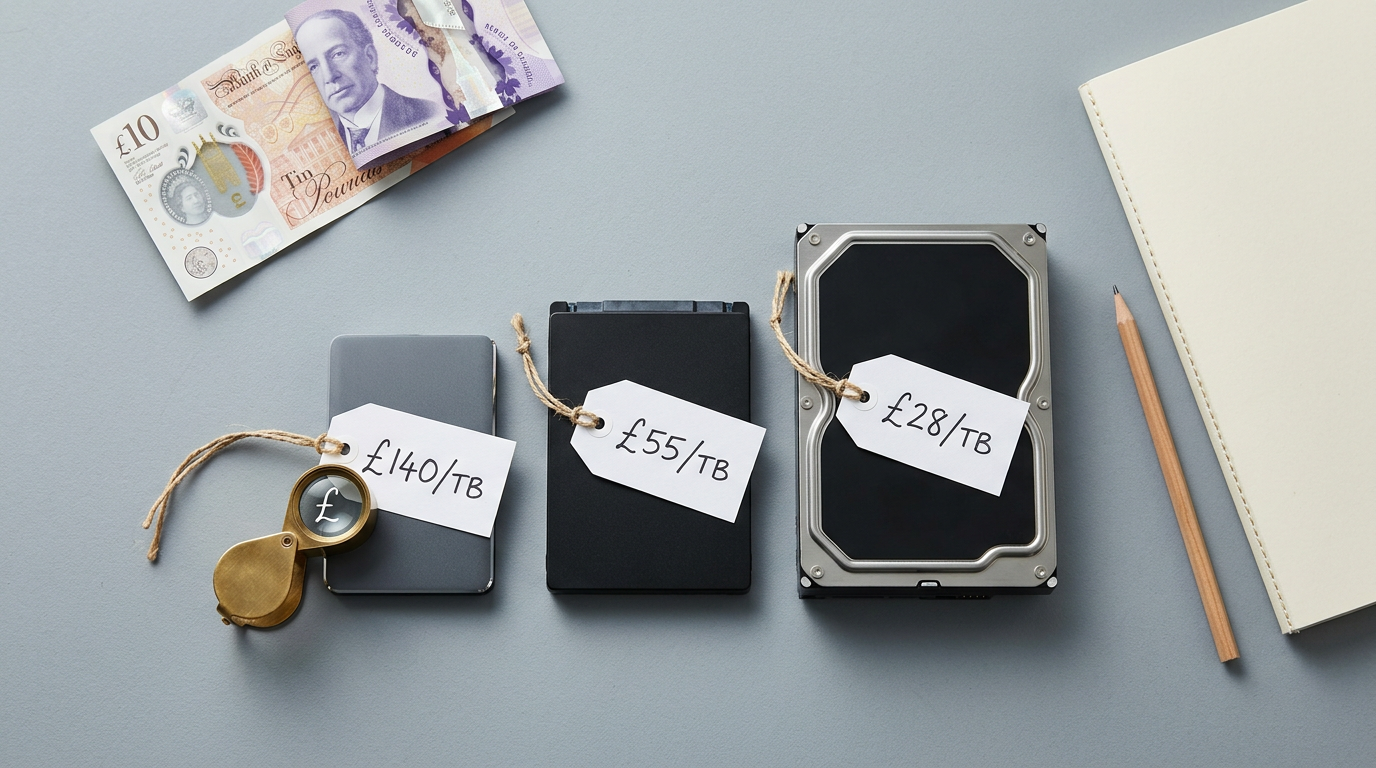
Expect roughly £15 to £25 per terabyte (TB) for an HDD and £40 to £80 per TB for an SSD. Those are pounds, not Canadian dollars (CAD), so check CAD prices before you buy.
How much does a gigabyte cost? About 4 to 8 cents. The Clonezilla deployment study prices a 1TB 2.5-inch HDD at $40 to $60 and a 1TB 2.5-inch SSD at $50 to $80, though it doesn’t name its currency.
Larger drives are cheaper per TB. So a 500GB drive costs more per terabyte than a 1TB one, and halving the 1TB price understates it. We don’t have a verified 500GB price, so check listings before you budget.
Filter by condition, size and interface
Choose new or used first. Used drives can be cheaper, but they’re a gamble, so save them for storage you can replace.
Internal drives mount inside your PC, external ones plug in over Universal Serial Bus (USB), and 2.5-inch drives suit laptops while 3.5-inch drives fit desktops. Match the interface to your motherboard:
- SATA (Serial ATA): the familiar cable connection.
- NVMe (Non-Volatile Memory Express): a faster SSD connection.
- SAS (Serial Attached SCSI): server and business gear.
- U.2: a server drive connector.
Check warranty and capacity together, since a cheap drive means little with a short warranty or too little space.
Think of a gamer with a growing library: an HDD holds the older titles, and an SSD keeps this week’s game loading fast, so they pay SSD prices only for what they play most.
How tape, discs, cards and RAM compare
Linear Tape-Open (LTO) tapes come in generations, each holding more data. They suit archives, not game libraries. Optical discs suit a one-time copy.
Secure Digital (SD) and microSD cards, CFexpress (Compact Flash Express) cards, and USB flash drives cost more per gigabyte than HDDs and SSDs.
DDR4 and DDR5 RAM (double data rate memory) sit at the top, but they hold running programs, not files. Match the medium to the job.
Where Hard Drives Beat SSDs on Value
Storing a big game library on a budget comes down to where your data lives. Here’s how we’d compare the two.
Hard drives or SSDs, and mixing both
A hard disk drive (HDD) stores data on spinning platters and gives you the most terabytes (TB) for each dollar. A solid-state drive (SSD) is faster, but it costs more per terabyte: HDDs win on capacity, SSDs win on speed. The main types are:
- internal drives
- external drives
- network-attached storage (NAS) drives for home servers
- enterprise-class drives for heavy workloads
Most builders don’t have to choose. Think of a player with a full 1TB SSD who keeps Windows and their favourite shooter on it, then parks the rest of the library on a cheaper HDD. That hybrid keeps loading quick where it counts.
Specs that change what you pay
Revolutions per minute (RPM) measures how fast the platters spin. A 5400 RPM drive is the budget option, while 7200 RPM is quicker and costs more.
NAS and enterprise-class drives carry premiums for around-the-clock use, so a standard drive usually wins for games. Check the warranty too, since a longer one signals confidence in reliability.
Internal drives connect directly to your computer and run faster, while external drives trade that speed for portability. Pay for speed only where you’ll notice it.
Saving money by shucking external drives
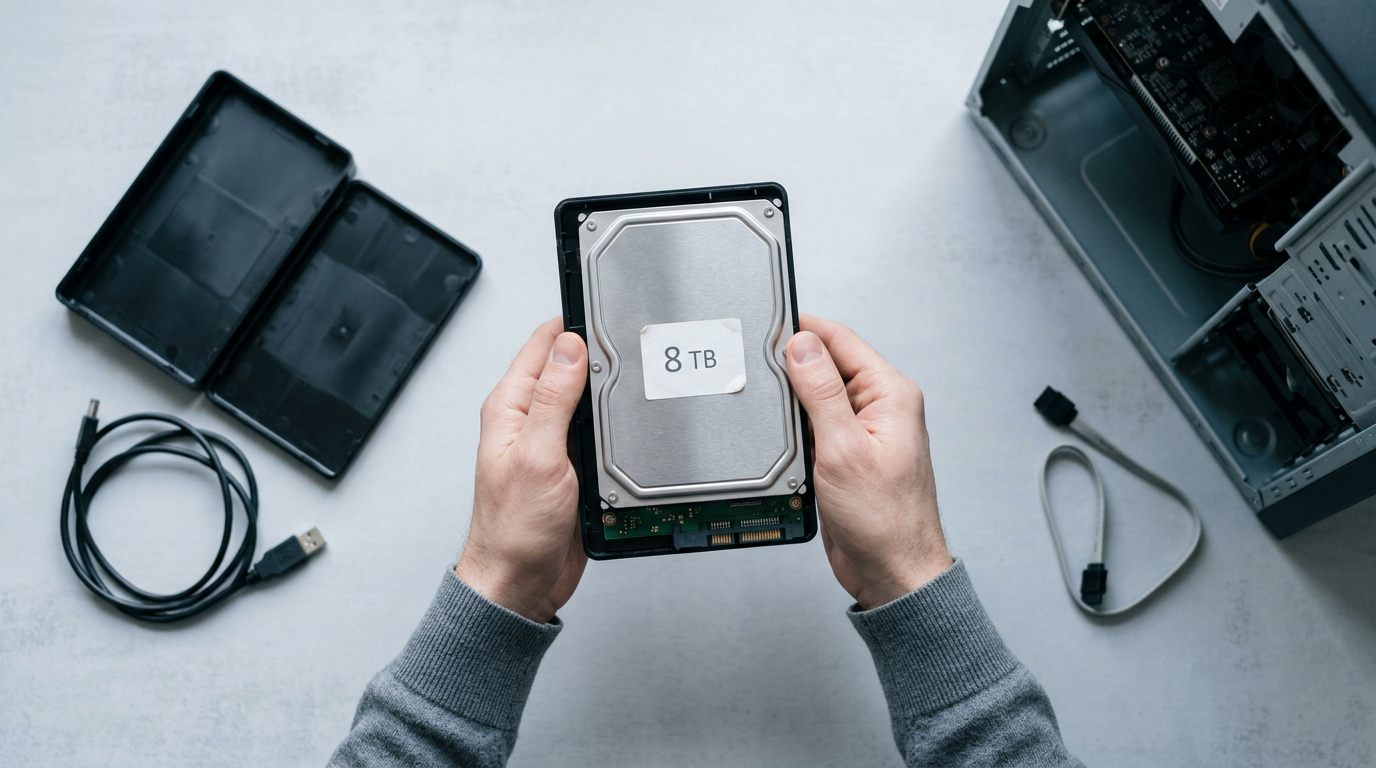
Shucking means pulling a drive out of its external enclosure to mount it inside your computer. Elements drives are often cheaper than internal drives of the same capacity, so a builder wanting 8TB of game storage can shuck one and save real money.
The trade-off: a drive running outside its enclosure is slightly slower, so keep shucked drives for bulk game storage.
Picking the Right Drive for Your Needs
Start with the job, not the price tag. What you store and how you use it decide the right drive, and price per terabyte (TB) comes second.
Drives for gaming, backup, NAS and business
A solid-state drive (SSD) loads games quickly, while a hard disk drive (HDD) gives you far more space for the money.
- Gaming and consoles. An SSD cuts waiting time at every launch, so it suits the games you play most.
- Backup and external. A portable HDD is the cheapest way to hold files you rarely open.
- NAS and home servers. A network-attached storage (NAS) box runs around the clock, so it needs drives built for that.
- Business, surveillance, enterprise. Drives rated for constant writing suit always-on security camera recorders and company servers, but they cost more per terabyte.
For a game library, NVMe (Non-Volatile Memory Express) drives are the fastest option, and SATA (Serial ATA) SSDs are the budget-friendly middle ground. The win is load times, not frame rates. It’s a nice upgrade, not a must.
Think of a player who keeps this month’s games on a SATA SSD and moves older titles to a cheap hard drive. Their favorite still launches fast, and the archive costs less.
How much storage you actually need
Match the size to how you use the drive:
- 1–2TB for general use. Enough for an operating system, a few games, and documents.
- 4–8TB for gamers and photographers. Room for a sizable library or photo archive without constant deleting.
- 10–20TB+ for NAS and creators. Built for shared media, big video projects, and household backups.
Size it for today’s library, not the one you might have someday. Add capacity when you need it.
How Long Drives Last and Stay Safe
No drive lasts forever, so the useful question is how long you can count on yours and how you protect your files in the meantime. Here’s what to expect from each type and how we’d plan around it.
How long HDDs and SSDs last
A hard disk drive (HDD) is the spinning kind, and it’s often estimated to last roughly 3–5 years, though actual lifespan varies. A study in ACM Transactions on Storage covers more than 110,000 disks, some for an entire five-year lifetime.
A solid-state drive (SSD) can last longer, but it can still fail, so no drive is a permanent home for your files.
Consider a gamer with a 2TB SSD full of saves and screenshots from years of play. Plan for when a drive fails, not if. One copy on a second drive turns a dead SSD into a weekend’s hassle instead of lost memories. Backups aren’t optional.

Which drive suits long-term storage best
For long-term storage, like an archive of old game installs or family photos you rarely open, an HDD is usually the better pick.
SSDs carry a different risk. An SSD can lose its data when its controller fails. The controller is the small chip that manages how the drive reads and writes your files, so when it stops working, those files can go with it.
That makes an SSD a great home for the games you’re playing right now, but it’s no substitute for a backup of anything you can’t replace.
How Drive Prices Swing over Time
Drive prices, for both hard disk drives (HDDs) and solid-state drives (SSDs), rarely hold still. A German article on big data in the legal profession puts one gigabyte at about $300,000 in 1981, the closest benchmark we have to 1980.
What makes prices rise and fall
Four things shape the price:
- Supply and demand shifts. Prices climb when buyers outpace supply and ease once stock catches up.
- Currency fluctuations. Exchange rate swings change what you pay in Canadian dollars, even when the drive’s price holds.
- Retail promotions. A sale can drop a price briefly, so last week’s price may not last.
- Best value changes monthly. Compare the price per terabyte rather than the sticker, since the best deal moves around.
For timing, watch Black Friday and Boxing Day, and check prices a few weeks ahead so you can spot a real deal.
The recent jump in HDD prices
HDD prices have climbed fast. Tom’s Hardware reports that ComputerBase found an average increase of 46% across 12 popular mainstream drives over four months, and TechPowerUp puts the range at 23% to 66% by model.
DigiTimes reports that HDD contract prices, the negotiated bulk rates big buyers pay, rose about 4% after fourth-quarter 2025 talks.
What is driving demand for storage
Three things drive that demand:
- Cloud hyperscaler procurement. Hyperscalers, the giant cloud companies that run huge data centres, buy drives in bulk.
- AI data storage needs. Artificial intelligence (AI) projects hold and process enormous amounts of data.
- Concerns about SSD data retention. Some buyers doubt SSDs keep data well without power, which pushes some archive work back toward hard drives.
This isn’t a silicon shortage. It’s about who is buying, not what the factories can make.
Why are SSDs and NVMe so expensive?
SSDs cost more for the same demand reasons, and prices swing hard. A 4TB NVMe drive (the fast interface most modern SSDs use) has been listed anywhere from €210 to €450, and a 1TB SSD is up 187%.
CloudZAT’s SSD tracker shows 1TB consumer drives roughly doubling, from about $45 in late 2025 to near $90 in early 2026. Think of a player who set aside $45 for a 1TB drive back then.
By early 2026, that drive sits near $90, so the money covers only half.
Cart prices can also jump suddenly between visits.
Once you can divide price by capacity, storage shopping gets a lot simpler.
You can compare a traditional hard drive against a solid-state drive (SSD) on equal footing, check whether a sale really beats the usual price, and match the drive to the games you actually play.
Keep your numbers in CAD and your budget in view, and you’ll always know what you’re paying for.
The best drive isn’t the biggest one on the shelf. It’s the one that gives you enough space at a price you can live with.
References
- ACCELERATING PERFORMANCE, COST-OPTIMIZATION AND STREAMLINING DEPLOYMENT WITH CLONEZILLA AND SATA SSDS — doi.org (2023)
- Understanding disk failure rates: What does an MTTF of 1,000,000 hours mean to you?: ACM Transactions on Storage: Vol 3, No 3 — dl.acm.org (2007)
- Big Data im Rechtsanwaltsberuf — nbn-resolving.org (2017)
- Hard drive prices have surged by an average of 46% since September — iconic 24TB Seagate BarraCuda now $500 as AI claims another victim — tomshardware.com (2026)
- HDD Prices Increase by an Average of 46% Over the Past Four Months — techpowerup.com (2026)
- WD says 2026 capacity sold out as HDD prices post sharpest rise in two years — digitimes.com (2026)
- SSD Prices : SSD Tracker, Trends, History and 2026 Forecast — cloudzat.com
Questions
What are the different types of hard disks?
Hard disks are commonly grouped as internal, external, NAS, and enterprise-class drives. They can also use different interfaces, such as SATA or SAS, and come in sizes such as 2.5-inch and 3.5-inch.
How much does a gigabyte of storage cost?
Storage costs vary by type and capacity. A rough benchmark is about 4 to 8 cents per GB, while HDDs generally cost less per gigabyte than SSDs; compare the price divided by capacity and check prices in your currency.
How much does a 500 GB hard disk cost?
There is no single fixed price for a 500 GB hard disk, since prices vary by retailer, condition, and sales. Smaller drives often cost more per terabyte than larger ones, so check current listings and compare the price per GB.
How much did 1GB cost in 1980?
A gigabyte of storage cost about $300,000 in 1981, the closest available benchmark to 1980. That figure is not an exact 1980 price.
How much does a 200 GB hard drive cost?
The price of a 200 GB hard drive depends on its condition, interface, and current availability, and a reliable current price cannot be given without checking listings. Compare the total price per GB, keeping in mind that smaller drives often cost more per terabyte.
Why are SSDs so expensive?
SSDs cost more per terabyte than HDDs because flash storage is typically pricier, though the gap has narrowed. Prices also fluctuate with supply and demand, currency changes, and retail promotions; fast NVMe SSDs can cost more than SATA SSDs.
Sources
- ACCELERATING PERFORMANCE, COST-OPTIMIZATION AND STREAMLINING DEPLOYMENT WITH CLONEZILLA AND SATA SSDS, doi.org,
- Hard drive prices have surged by an average of 46% since September — iconic 24TB Seagate BarraCuda now $500 as AI claims another victim | Tom's Hardware, tomshardware.com,
- HDD Prices Increase by an Average of 46% Over the Past Four Months | TechPowerUp, techpowerup.com,
- WD says 2026 capacity sold out as HDD prices post sharpest rise in two years, digitimes.com,
- SSD Prices : SSD Tracker, Trends, History and 2026 Forecast, cloudzat.com
- Understanding disk failure rates: What does an MTTF of 1,000,000 hours mean to you?: ACM Transactions on Storage: Vol 3, No 3, dl.acm.org,
- Big Data im Rechtsanwaltsberuf, nbn-resolving.org,
Free · The Build Sheet
The Build Sheet: three gaming PCs priced at Canadian stores